dailynewsnblog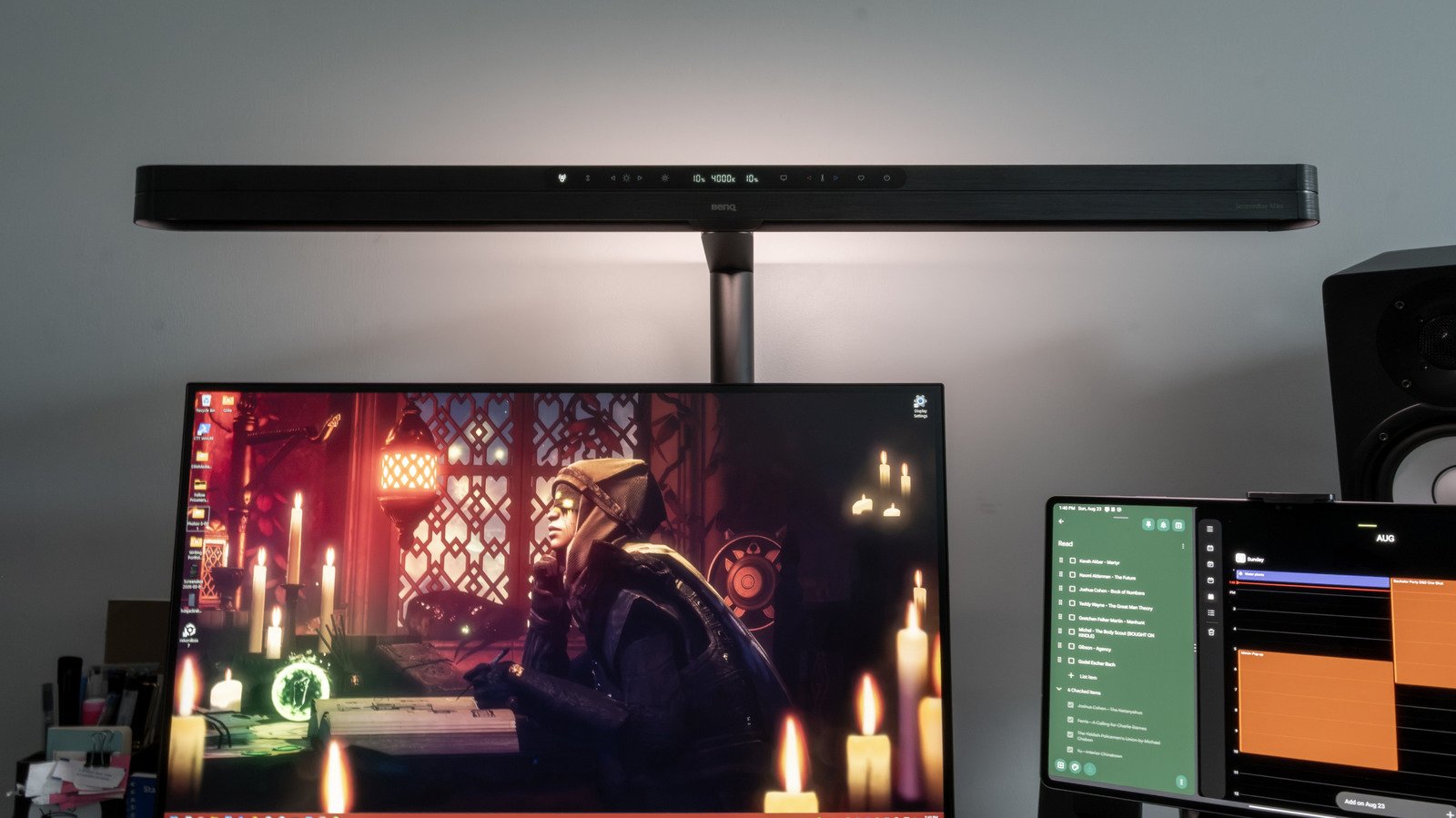
I love lamp, but BenQ’s most luxurious lighting comes at a steep cost.
We may receive a commission on purchases made from links.
We spend more time with our screens than ever before these days, and few are more aware of that fact than BenQ, a brand well known among PC gamers, creatives and cinephiles. The company is launching two new monitor light bars today, the most notable of which is the ScreenBar Max, the first ScreenBar designed for dual-monitor setups. If you, like me, spend most of your workday (and a solid amount of your free time) plopped in front of computer monitors, you might know that eye strain can be a significant danger. Even if you keep your screens at a reasonable brightness and don’t sit too close, the contrast between the light from the screens and the darkness of the wall behind them can still exacerbate strain, eventually causing a condition called computer vision syndrome.
One way to alleviate screen strain is to use a bias light, a lamp that shines backward onto the wall behind your screen to reduce the contrast between the two. While you’re at it, you’ll want a desk lamp to better see your keyboard, mouse and paper documents. The BenQ ScreenBar Max has both a bias light and desk lamp, and is large enough to stretch across two monitors while illuminating a large desk with light of a truly pristine quality. Equally as large, however, is the amount of money you’ll need to cough up for it. I’ve spent the past several days with a review sample of this premium peripheral, and it’s certainly an impressive piece of kit. The only question is whether its quality can compensate for the sticker shock of its price tag.
The BenQ ScreenBar Max is impressive, but expensive
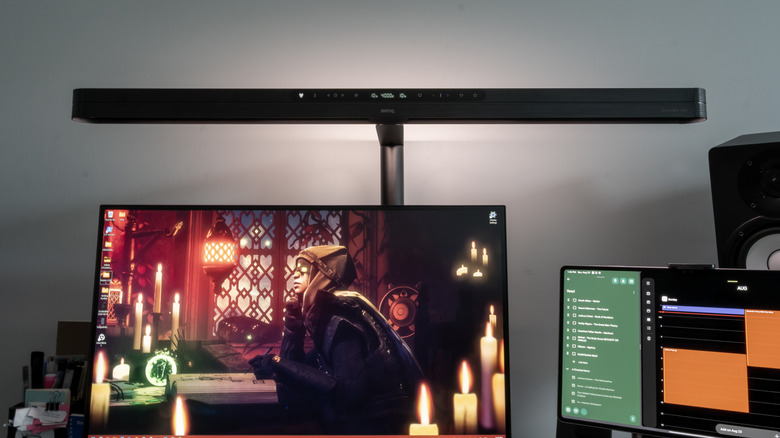
I’ve been testing the ScreenBar Max for the past five days, and my preliminary impression is that this is indeed a very nice desk lamp and bias light combo, especially for multi-screen setups. It’s got a price tag to match, though. The ScreenBar Max will set you back a cool $289, with another $39 if you want the optional stand. That makes this far and away the most expensive ScreenBar product from BenQ to date. You could buy four or five cheaper lamps at that price, and while they might not feel as premium, they’d offer most of the functionality.
What cheaper lamps won’t match are the bells and whistles BenQ has included on the ScreenBar Max. My favorite feature is presence sensing, which uses a high frequency mmWave sensor to turn the lamp on automatically as you approach your workstation. I initially envisioned a number of ways this feature could fall on its face or become an annoyance — but to my delight, it worked quite well. My desk is next to a door, but the ScreenBar Max never activated when I walked in or out. Even pushing my chair in under the desk as I crossed the room behind it didn’t cause the sensor to trigger. Only when it sensed me sitting down did the Max illuminate, pleasantly rising in luminance rather than turning on all at once.
Let there be (some truly excellent) light
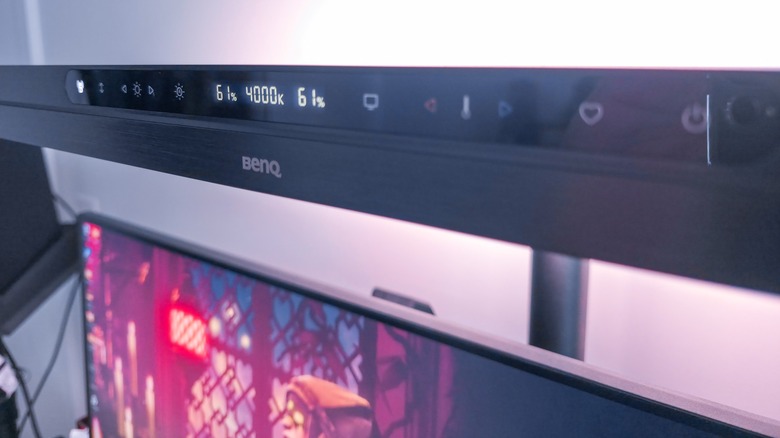
The ScreenBar Max allows the brightness level of the bias light and screen lamp to be controlled independently of one another. Only the temperature level, which has a range of 2,700 to 6,000 Kelvin, is fixed across both lights. My small gripe here is that, in order to adjust one of the lights, you must toggle a a single mode selector button between bias light, desk light and both until you reach the one you want to change. It’s one or two more steps than strictly necessary, and while I wouldn’t knock a cheaper light bar for it, nitpicks start to feel more justified at this price point.
What I cannot nitpick is the ScreenBar Max’s performance as a light bar. It’s hard to translate into words, but some that sprang to mind in the course of my testing were “pristine,” “precise” and “heavenly.” BenQ rates the color rendering index (CRI) at Ra ≥95, Rf >96, and Rg ~100, or in plain English, studio grade. I can find no cause to doubt that claim. In my testing, there was never any harshness, flickering or heat.
In addition to the aforementioned mode selector, the ScreenBar Max has a few other handy buttons on its capacitive control panel. There’s another toggle to turn the presence sensing on or off, along with brightness and temperature rockers. An auto-dim shortcut will produce an ambient brightness of 700 lux using the light sensor on top of the unit, while a monitor reading mode shortcut adjusts the temperature to 4,000 Kelvin (i.e. neutral white) before doing the same. Lastly, a favorite shortcut provides quick access to a user-determined lighting profile, and a power button does exactly what it says.
I love lamp, but it’s a tough sell at this price
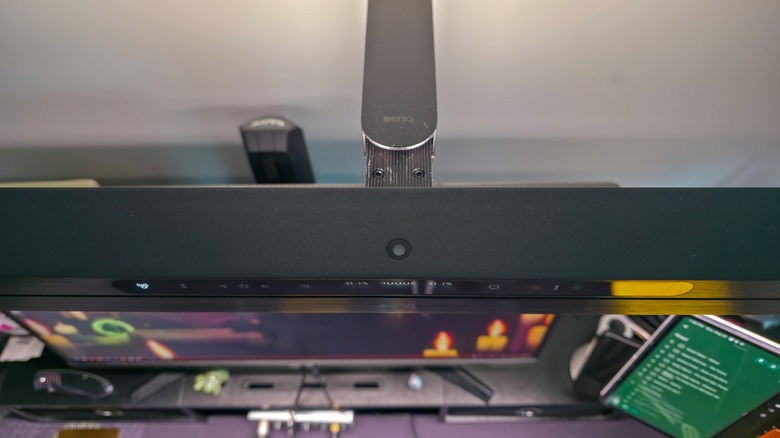
Installing the ScreenBar Max was easy enough. The base uses a twist-down C-clamp for easy desk installation, and a power cable can be run down the back into an outlet.
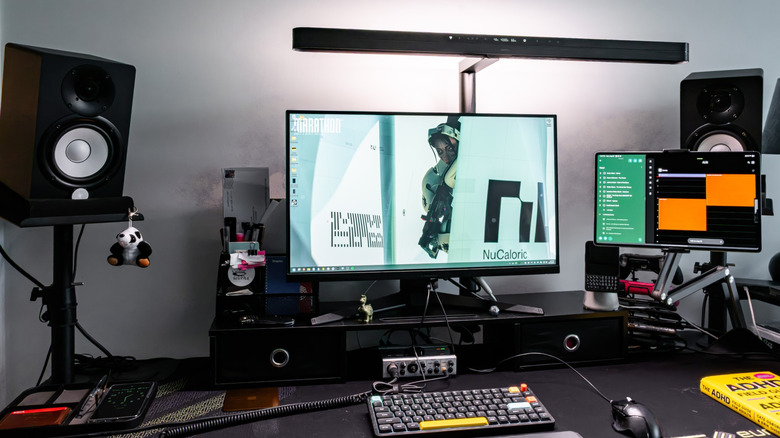
Setup won’t be seamless for everyone, and my biggest issue with the ScreenBar Max ended up being a lack of adjustability. My desk has a cable management box where I would naturally want to install it, so I ended up installing it on my monitor riser instead. The light bar itself can be extended forward a fair amount, but not as far backward as you might wish if your monitors are wall mounted.
My dual monitor setup is a 27-inch IPS panel from ASUS alongside a 14.6-inch OLED tablet from Samsung, with the latter positioned off-axis for glanceable information. The ScreenBar Max did not cast glare on either screen, though it did shine off the aluminum rail of the Samsung tablet ever so slightly. It easily illuminated the entire surface of my 63-inch Eureka Gaming desk.
The ScreenBar Max earns its place in the upper echelons of monitor light bars. I’ve rarely felt more like Tony Stark than when it springs to life as I sit down to work, and the light it produces is pristine. It feels luxurious in a way that’s hard to convey in print. But I can’t say I’d spend my own hard-earned cash on the ScreenBar Max when I could get most of the same functionality at a more reasonable price. If you can get this monitor light expensed to the company card, by all means, treat yourself. But if the price tag has you on the fence, look elsewhere.