dailynewsnblog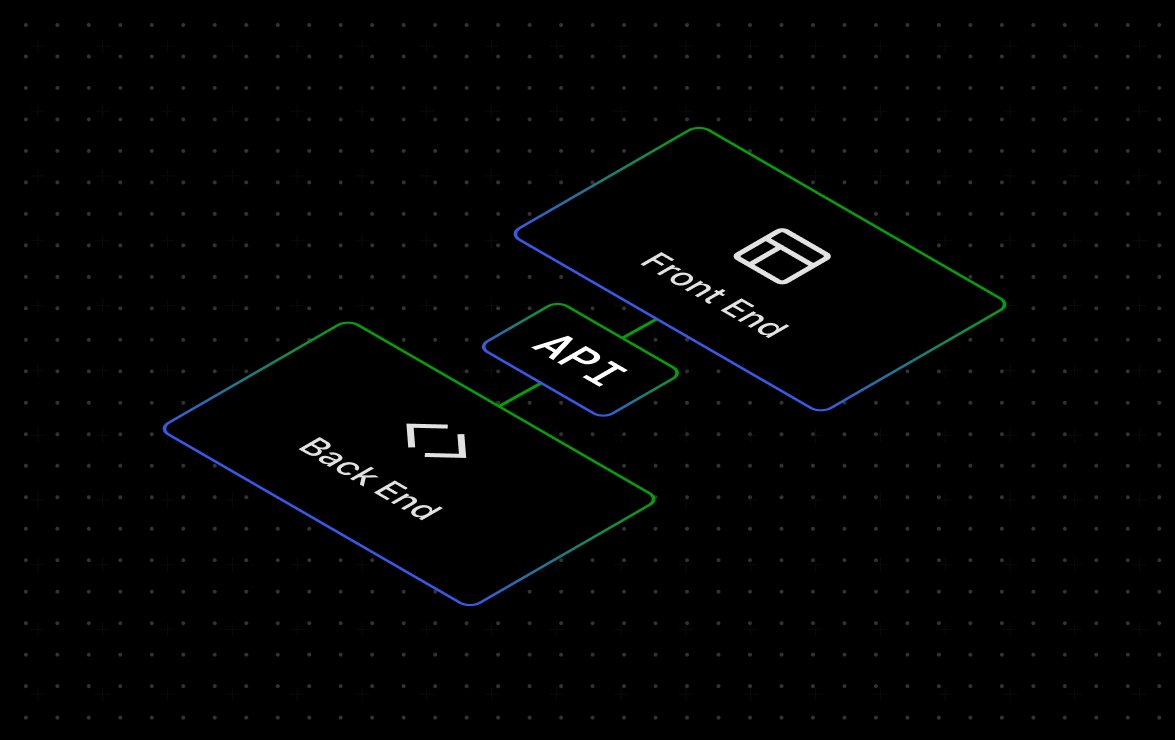
Headless WordPress allows you to use an alternative stack on the frontend — but it usually requires hosting for two separate environments instead of one.
Most projects need managed WordPress hosting for the backend and dedicated frontend hosting that matches how your app renders.
It’s important to understand the tradeoffs of choosing headless WordPress as it can add more complexity to the equation.
Here’s how to make both decisions without overcomplicating it:
Step 1: Confirm you need headless WordPress
Headless makes sense when you need frontend flexibility, performance, or multisystem integration that goes beyond what a traditional WordPress setup supports.
In a traditional setup, the frontend and backend live on the same platform. In a headless setup, they’re separate — connected only through an API.

Headless is a more complex system, so it’s worth being certain your project actually needs it.
Go headless when:
- You’re building with a JavaScript framework rather than WordPress themes.
- WordPress is powering multiple surfaces: a website and a mobile app, for example.
- You need to connect WordPress to other platforms or external SaaS tools.
If none of that applies, a well-optimized traditional WordPress setup is usually faster to ship, less expensive to run, and easier to maintain.
Step 2: Decide how your frontend will render
Your rendering strategy determines which frontend host you need, so define it before you start comparing plans. Rendering is simply how your frontend turns WordPress content into the pages visitors see.
Here are the key options to choose from:
- Static (SSG) works best for sites where content doesn’t change frequently. When you publish your site, pages are built once at deploy time and served as static HTML from a CDN. It’s the fastest and cheapest option and works well for marketing sites, blogs, landing pages, and documentation where a short delay after publishing is acceptable.
- Server-side rendering (SSR) is for when you need to personalize pages per user or reflect real-time data. Pages render on each request, which requires Node.js infrastructure and is more expensive to run.
- Hybrid (ISR) sits in between. Pages are static, but you can update them on a schedule or when content changes, without a full rebuild. It works well for sites that publish frequently but don’t need true real-time rendering.
The simplest way to choose: If every visitor sees the same page, SSG or ISR is almost always a good choice. If the page needs to vary per user, you need SSR.
Step 3: Pick a host for the WordPress backend
Choose a backend host that can manage API traffic, editor activity, and traffic spikes reliably. You also want a host that scales when needed and ensures your WordPress environment is secure and up to date.
Since your frontend depends on WordPress to deliver content, backend performance directly affects what visitors experience.
In server-rendered and hybrid setups, that means handling continuous API requests. Even for static builds, the backend needs to perform well at build time and whenever content updates trigger a rebuild.
Here’s what matters most:
- Performance: Fast API response without relying on third-party caching plug-ins.
- Scalability: Traffic spikes shouldn’t require emergency upgrades or come with surprise charges.
- Security: The host should provide SSL, firewall protection, and backups.
- Developer tools: These include SSH/SFTP, WP-CLI, and staging environments.
Selecting the right provider
WordPress.com is the right backend host for most headless projects. The Business and Commerce plans come with everything a headless build needs from the beginning: built-in object and edge caching, automatic updates and security patches, and a CDN for media and static assets.
On the developer side, you get SSH access, WP-CLI, and staging environments, plus predictable pricing with unmetered bandwidth so traffic spikes don’t come with unexpected costs.
If you need the WordPress backend and a Node-based frontend managed on a single platform, WordPress VIP is worth exploring. It’s built for enterprise-scale sites with millions of monthly visitors and comes with dedicated support and SLAs. The prices for this platform match that level of scale, so if budget is a consideration, WordPress.com with a separate frontend host will effectively cover most projects.

Step 4: Find a host for the frontend
From here, match your frontend host to your rendering strategy. Here’s how:
- Static sites work best with CDN-based hosting that serves prebuilt HTML.
- Server-rendered apps rely on Node-compatible hosting to render pages on request. Verify that this supports your framework and Node version.
- Hybrid setups require a Node runtime with revalidation support so pages can refresh on publish without a full rebuild. Factors such as build minutes, bandwidth, or requests typically determine the cost, so check the pricing model before committing.
Beyond rendering, check that the host supports git-based deploys compatible with your branching workflow and preview URLs for pull requests and draft reviews.
You should also confirm there is a clear publishing flow so you know how a WordPress content update reaches the live frontend, whether that’s a full rebuild, a webhook, or revalidation.
How to choose your headless WordPress hosting
The bottom line: When choosing headless WordPress hosting, the backend and frontend decisions are separate but connected.
Here’s what the right setup looks like for most projects:
- Use WordPress.com for a managed, scalable WordPress backend that handles API traffic without requiring you to manage the infrastructure.
- Choose your frontend host based on your rendering strategy (SSG, SSR, or ISR).
- Opt for WordPress VIP when you need both environments managed together on a single enterprise platform.
WordPress.com gives you a managed, secure, and scalable WordPress environment so your team can focus on building the frontend instead of maintaining servers.