dailynewsnblog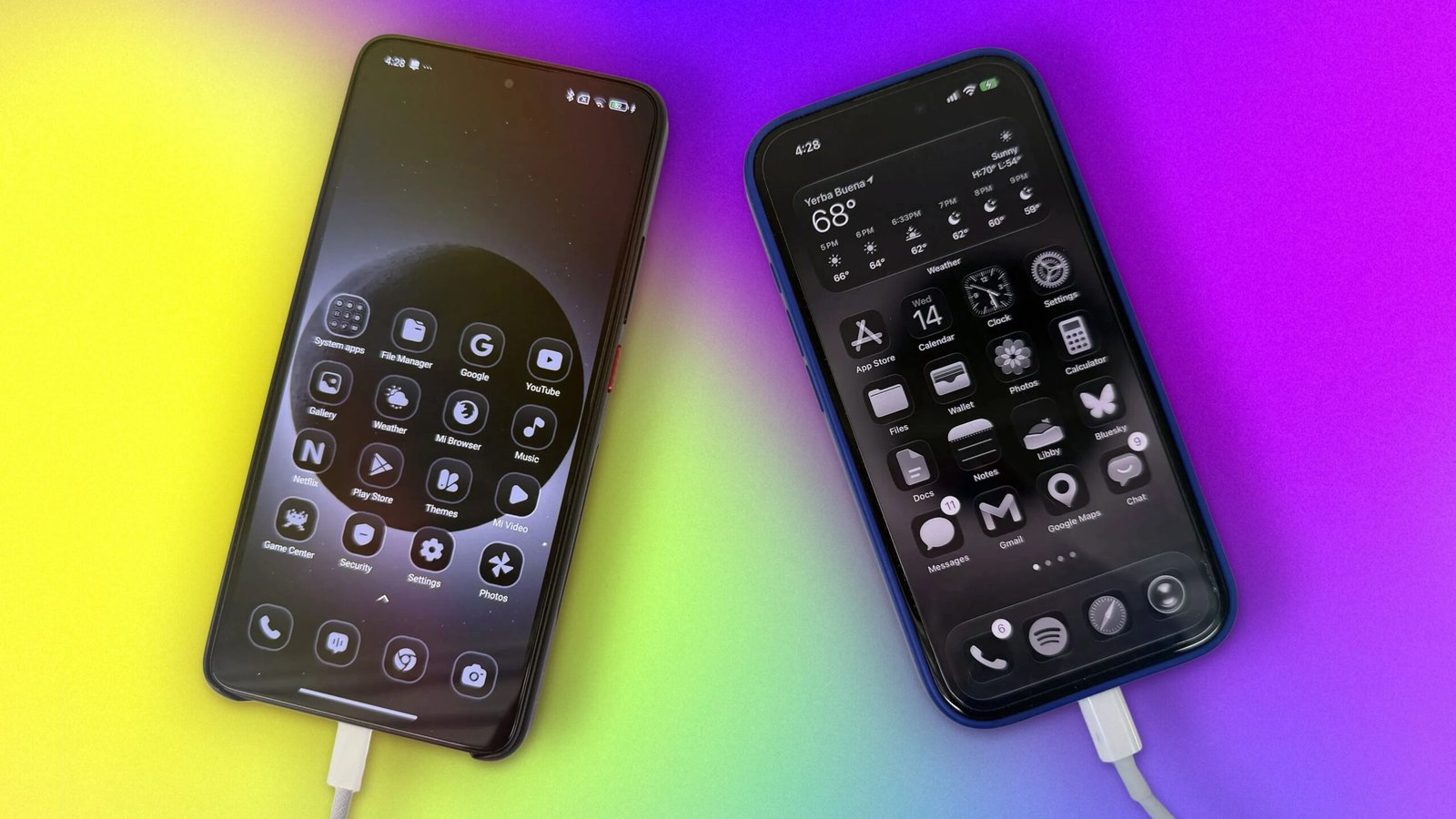
I know it’s 2026, but hear me out: Our phones should have less color.
Just look at your home screen with all those candy-colored icons. The design might remind you of slot machines in flashy casinos, and that’s not a coincidence. Phones are easy to pick up and hard to put down. If you ever unlocked your phone with a specific intention but ended up spending an hour on TikTok, you know exactly what I’m talking about.
I wanted to break my habit of doomscrolling, so I tried a friend’s suggestion and changed the color filter mode on my iPhone 17 to grayscale. While it did make my phone less distracting, it ultimately became too frustrating to use.
While using grayscale, I found myself toggling back to color mode when I wanted to watch a YouTube video or edit my photos before posting them to social media. After a few days, I was back where I started, using my phone in full color.
That changed when I found this photograph:
 NASA
NASAA solar eclipse, as seen from space by the crew of Artemis II, makes a stunning image because of the technological achievement it represents. It also makes a cool phone background.
I used that photo of the solar eclipse for my lock screen and home screen wallpaper. And then I tweaked my phone’s Liquid Glass settings.
Since iOS 26, iPhone users have been able to give their apps a Clear appearance, which makes app icons appear translucent, ostensibly to give you a better view of your colorful wallpaper. However, with a grayscale photograph as your background, your icons won’t display any color at all.
The result? A screen that looks black-and-white when I pick it up, but shows full color when I use my apps.
It turns out this is exactly what I needed for my phone. It’s less immediately distracting, and so I use it a little more intentionally. I don’t have the impulse to check Instagram as soon as I unlock it.
You can also achieve the same look on an Android phone. If your phone is running Android 12 or newer, you can use the Material You customization options to make all your apps the same color. You can change your wallpaper to a grayscale image, and then pick from the dynamic color options.
The one slightly annoying thing about my phone’s appearance is that when I’m charging it or I have it on Low Power Mode, the battery icon is a splotch of color on my otherwise monochrome lock/home screen. I wish I could get that icon to stay in grayscale, but it’s not a dealbreaker.
A few years ago, I spent a week with my phone in full grayscale color mode, mostly just to see if I could do it. A coworker saw my screen and jokingly said, “Do you hate life?” At the time I laughed, but I continued to think about that comment.
It’s true that a portion of my identity exists on social media, and yes, I have long-distance friends who I keep in touch with through my phone. But I don’t live life on my phone. I could capture the most breathtaking photograph of a sunset’s colors, but it’ll never look as good as the real thing.
I’ve found my happy medium: A phone that displays color when I need to check social media and share pictures, but doesn’t draw me in with color as soon as I look at it.
It’s not a perfect solution for eliminating every phone distraction. But it’s made my phone look a little less like a slot machine and has probably saved me from a few minutes of mindless scrolling every day. In today’s attention economy, I’ll take all the IRL time I can get.

See full bio