dailynewsnblog
If you have trouble getting apps to scale properly on your foldable, read on.
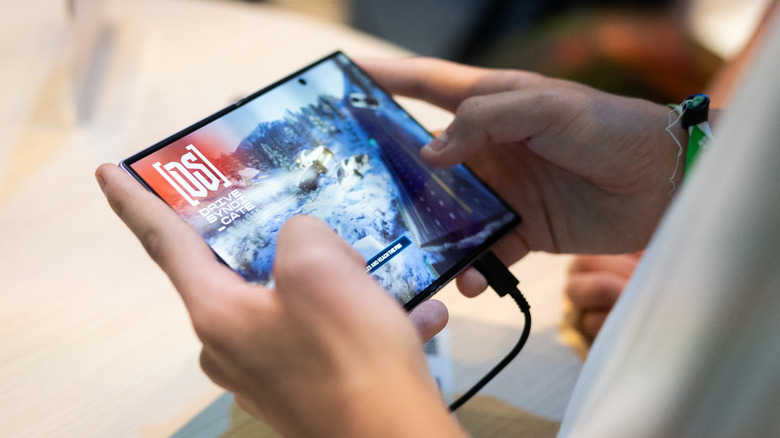
The extra screen real estate that comes with the design of a foldable phone can be pretty enticing. Whether you’re looking to play games, watch videos or read, a foldable offers more room for your favorite activities. But the expanded space can also complicate how apps adapt to a device that changes the aspect ratio of its screen depending on how it’s being used.
Samsung unveiled the Galaxy Z Fold 8 at its Unpacked event in July. The phone’s App Continuity feature lets you switch between the displays without interruption. But now, some owners are running into issues with apps that may not scale correctly to their phone’s internal 4:3 display. They’re even convening on various forums to discuss potential fixes in order to get the most out of the foldable screen experience. Here’s how to fix scaling and app issues on your Samsung Galaxy Z Fold 8.
How to adjust apps’ aspect ratios
Though many apps are designed to work across the different screen sizes you might find among phones and tablets, they might not automatically adjust to the Galaxy Z Fold 8’s inner screen. Fortunately, there’s a way to change an app’s aspect ratio on an individual basis, according to SamMobile. Aspect ratio refers to the proportional relationship between the width and height of something like a video or image. For example, a square (which has equal sides) would have a 1:1 aspect ratio.
When you unfold your Galaxy Z Fold 8, go to Settings > Display > Aspect ratio. (Depending on your One UI sub-menu, you might also navigate there through Settings > Apps.) From that screen, you can pick the app you want and then select either full screen, 4:3 or 16:9. That screen also notes that apps you have running in the background might need to restart once you’ve changed their aspect ratio. Whatever you select will become the default aspect ratio for how the app opens.
Another way to adjust your apps’ aspect ratios
An additional way to accomplish this is by pressing and holding the app icon, and tapping the small info button on the top right. Tap on App aspect ratios, and from there you can also pick which aspect ratio you want to set as the default. Even after setting your preferred aspect ratio, an app might not perfectly scale to the screen. Some have reported awkward positioning or cropping on the screen if the app itself hasn’t been optimized.
Still, Engadget’s review of the Galaxy Z Fold 8 praised the main screen’s 4:3 ratio, in part for how it cuts down on the letterboxing around widescreen content compared to the more square internal screen on previous Galaxy Z Fold models. The improved screen may be worth the trade-off of dealing with apps occasionally misbehaving.