dailynewsnblog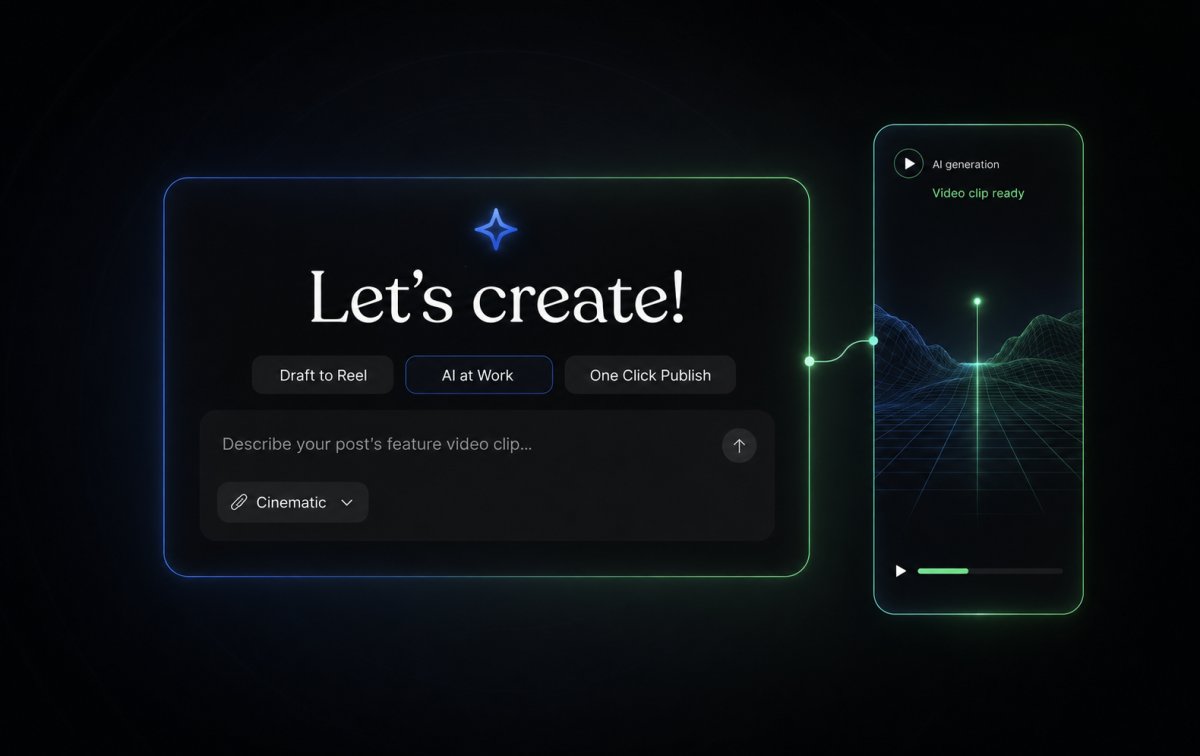
Your words deserve more than one place to land.
A great post can reach readers on your site and viewers on the platforms where short-form video thrives, including Instagram Reels, TikTok, and YouTube Shorts. Until now, doing both usually meant opening another tool, learning video editing, or getting in front of a camera.
Feature Clips is an experimental preview that helps you create a short vertical video from a post or page directly in the WordPress editor.
Your post remains the full story. A Feature Clip gives you a simple way to introduce that story to people scrolling through social feeds, without adding another production workflow to your day.
From post to video, right in the editor
Feature Clips creates vertical 9:16 videos designed for Reels, Shorts, and TikTok.
Here’s how it works:
- Write your post or page as usual. Feature Clips uses your content to understand what the video should be about. If you have set content guidelines for your site, they are incorporated into the generation too.
- Open the Feature Clip panel. In the editor sidebar, select “Generate clip” to open the prompt window.
- Choose a direction. Select one of the suggested prompts or write your own to guide the look and feel of the clip.
- Choose between two styles: Cinematic creates an eight-second mood clip from a prompt, while Highlights builds a 20-second recap using your post’s images and key points.
- Share or add it to your post. Once it is ready, you can preview it, regenerate it, share it, or add it directly to your post or page.

Share it where your audience is
Every Feature Clip is saved automatically to your Media Library as a vertical 720p MP4 file.
You can share a completed clip directly to Instagram when your site is connected through Jetpack Social. It will publish as an Instagram Reel.
For TikTok, YouTube Shorts, and other platforms, download the MP4 from your Media Library and upload it directly.

Preview, regenerate, and help shape what comes next
Feature Clips is an experimental preview, which means it is live and ready to use, but still evolving.
You stay in control of the process:
- Preview each clip before sharing it.
- Add a finished clip to your post or page, or keep it as a social asset.
- Use the thumbs up or thumbs down controls to send feedback directly to the team.
For now, Cinematic clips are eight seconds long and vertical only. You can generate up to 10 clips per site every 24 hours. Some prompts or post content may be blocked by content-safety filters; if that happens, adjust the prompt or source content and try again.

Get started with Feature Clips on WordPress.com
Feature Clips is available now on WordPress.com Premium, Business, and Commerce plans.
Already tried it? Tell us what you created and what would make Feature Clips more useful for your workflow in the comments.