dailynewsnblog
Your old camera might give video calls an upgrade.

Old digital cameras are making a weird comeback, so it may feel a bit more difficult to justify throwing one in the electronics recycling bin than it would have a few years ago. According to the Camera & Imaging Products Association, shipments of built-in-lens digital cameras grew 29.6 percent in 2025 to approximately 2.44 million units, and are projected to increase an additional 13.6 percent in 2026. (CIPA didn’t attribute that growth specifically to the current trend of retro digicams.)
If you already have one lying around, however, there’s another reason to keep it. There are a lot of older DSLRs, mirrorless cameras and even some compact cameras that can be used as webcams. That can translate to improved low-light performance, greater control over framing or the natural background blur that laptop webcams devote a lot of software to trying to replicate. The trick is finding out whether yours can do it without turning a free upgrade into an expensive side project.
See if it works over USB first
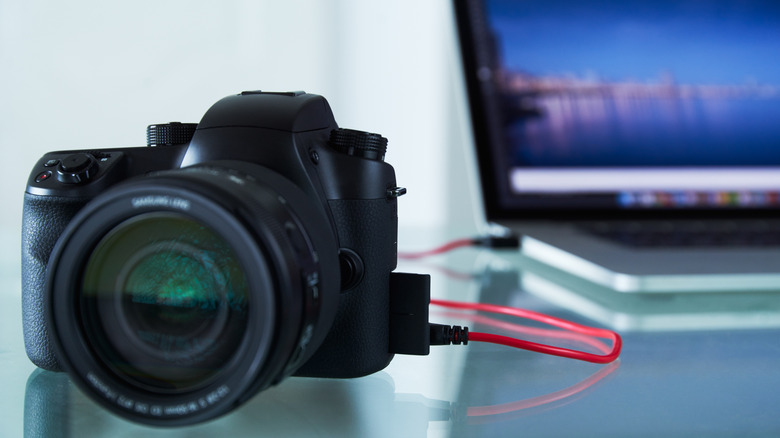
Start with the specific model number and the manufacturer’s webcam compatibility list. Canon’s EOS 6D and EOS Rebel T6 are still supported, as are Nikon’s D5300 and D750 with its Webcam Utility and Sony’s A5100, A7 II and RX100 IV with Imaging Edge Webcam.
If your camera is listed, then setup can be rather simple. Install the manufacturer’s webcam software if required, connect the camera using a USB data cable, put it into the appropriate video or remote mode and select it as the camera in Zoom, Google Meet or Microsoft Teams. You might already have everything you need.
However, a larger camera does not necessarily result in a clearer webcam picture. Some older supported Nikon DSLRs use only the VGA portion of Nikon’s XGA live-view display, so a newer dedicated webcam might be able to capture more detail. Depending on the camera model, the camera can compensate for some of this ground with a larger sensor, better low-light performance and control over the lens.
Audio and power should be checked as well. Nikon and Sony say their webcam utilities don’t send the camera’s microphone audio to the computer, which means using your laptop mic or a separate microphone. If you’re using live view for a long meeting, it will also drain the battery, so if the camera allows, external power might be worth setting up.
HDMI can work, but check the cost first
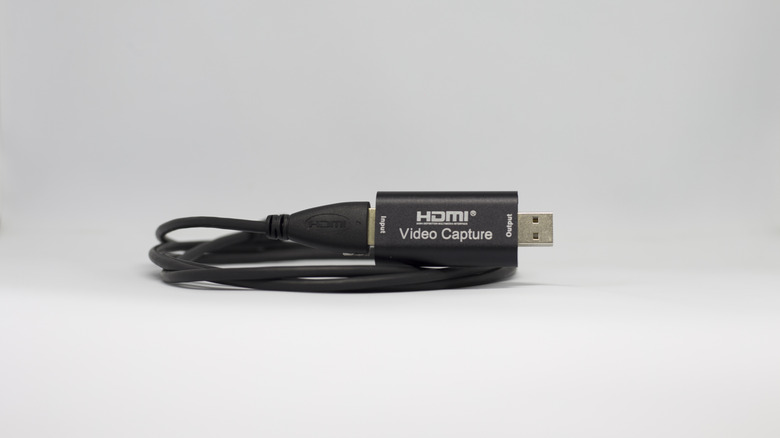
The experiment doesn’t have to stop if there is no support for USB webcam. Cameras with clean HDMI output can be connected through a capture device, which then shows up as a webcam on your computer. “Clean” is the important word here. No one wants autofocus boxes, exposure settings and a flashing battery icon on the weekly Teams call.
Continuous operation matters as well. Elgato suggests checking if power saving can be turned off and if the camera can be powered externally while transmitting video. There are some older cameras that were not meant to be used as desk accessories for hours.
The issue is cost. Elgato’s Cam Link 4K is priced at $99.99, excluding an HDMI cable, mount and/or possibly a dummy battery. Our current webcam guide, on the other hand, covers the 2K Anker PowerConf C200 at $60, which comes with microphones and a much simpler USB setup. Mac users might also be able to use a compatible iPhone, while Windows 11 users can use a compatible Android phone as a webcam for free.
Also consider the resale value of the camera before buying accessories. Some of the older digicams have been sold for much more than owners would expect because of the interest in them. According to B&H, one of its writers purchased a Canon PowerShot S95 for $130 in 2023, and it was selling for an average of over $400 in 2026.