dailynewsnblog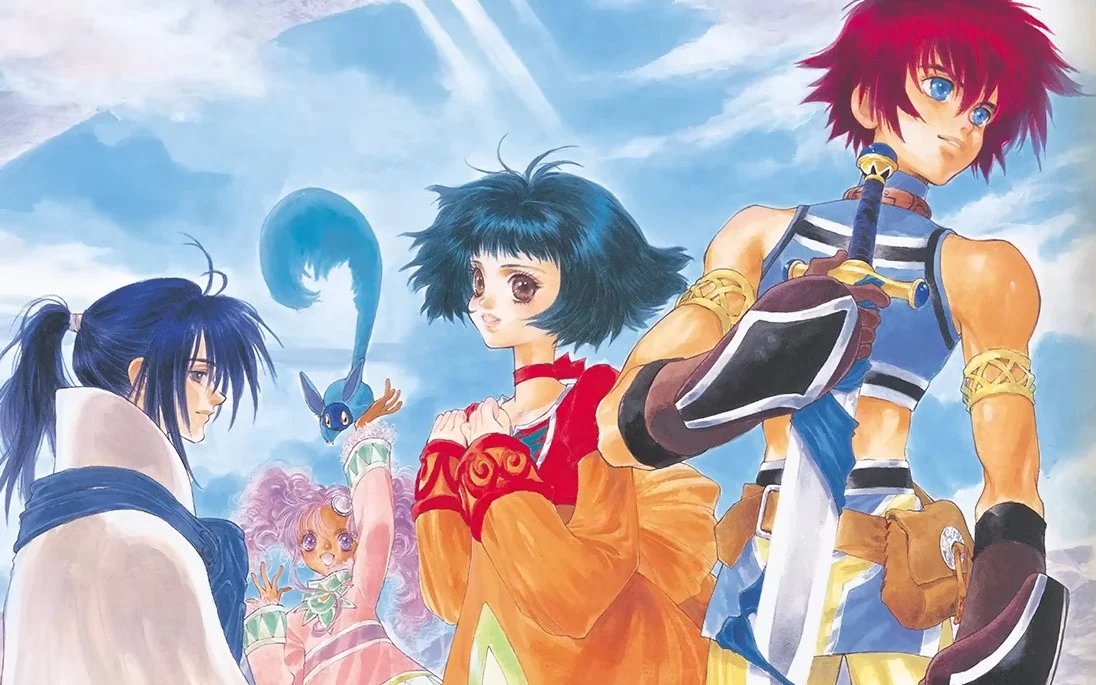
Bandai Namco is bringing its role-playing title Tales of Eternia Remastered to the Switch and Switch 2 this October. Ahead of the big release, it’s been sharing additional information about what to expect on the game’s Japanese website.
It’s now shared a very long “list of changes” detailing all of the updates. This includes remastered and original graphics options, quality-of-life improvements and much more. Here’s everything you can expect according to a translation of the Japanese website:
Tales of Eternia Remastered – List of changes
Add a yellow “!” icon to the destination in the main scenario.
A yellow “!” icon will be displayed at destinations in the main scenario. The distance to the destination will also be displayed.
You can toggle the display ON/OFF from Menu > Custom > “Destination Icon”.
*Some gimmicks along the way may not display an icon.
A “★” icon has been added to the location of valuable items.
A “★” icon will be displayed at the locations of valuable items such as encyclopedias and maps. The distance to the destination will also be displayed.
You can toggle the display on or off from Menu > Custom > “Destination Icon”.
Added a “hourglass” icon to timed events.
A “hourglass” icon will be displayed for events related to titles and items that have a limited acquisition period. The distance to the destination will also be displayed.
You can toggle the display ON/OFF from Menu > Custom > “Destination Icon”.
A blue “!” icon has been added to events where new skills and techniques are learned.
A blue “!” icon will be displayed for events related to learning new techniques and skills. The distance to the destination will also be displayed.
You can toggle the display on or off from Menu > Custom > “Destination Icon”.
Addition of boost function
We’ve added a “Boost Function” to help the game progress more smoothly.
You can switch it on and off at any time via Menu > Custom > “Boost Function,” with the exception of a few items.
Added a battle retry function for when you lose a regular battle.
Even if you lose a battle and get a game over, you can try again by selecting “Battle Retry” from the Game Over menu.
Added a skip function for events, skits, and movies.
You can skip events, skits, and movies by long-pressing the corresponding button.
Added a pause function for event skit movies.
You can pause events, skits, and movies by briefly pressing the corresponding button. While paused, a skip guide will be displayed, and you can skip directly.
Added autosave function.
The game will autosave at specific times, such as after moving to a new map or after an event has ended.
*Auto-save data is located at the top of the load screen.
Added a quick recovery function.
We’ve added a feature that allows you to heal all party characters’ HP and status ailments at once.
By pressing the corresponding button on the menu screen, you can select the healing method and percentage, and then perform the healing.
High-speed movement is possible when moving around the field.
When moving around the field, you can move quickly by pressing and holding the corresponding button while performing the movement operation.
Added a feature to switch the default movement method.
We’ve added a feature to set the default movement method to either walking or fast movement.
You can switch between these options from Menu > Custom > “Movement”.
The combat speed can be increased when using the “AUTO” combat mode.
During combat, pressing the corresponding button will switch to high-speed mode in “AUTO” combat mode.
Pressing the button again will return to normal combat speed.
Added a background graphic switching function.
We’ve added a “Graphics Mode” option under Menu > Custom.
You can switch between two modes: “Remastered” and “Original.”
*The UI remains the same regardless of which mode you select.
Added SE switching function.
We’ve added a new item under Menu > Custom > “SE Mode”.
You can switch between two modes: “Remastered” and “Original”.
Skip and retry functions added to mini-games.
We’ve added features to allow you to skip mini-games and to retry them mid-game.
Added an automatic message sending function.
We’ve added a feature to automatically send event and skit messages.
You can toggle this feature ON/OFF from Menu > Custom > “Automatic Message Sending”.
Add a skit player
The “Skit Player” option and skit titles have been added to Menu > Custom.
During your first playthrough, you can replay most previously viewed skits, with the exception of a few.
From the second playthrough onwards, starting with a cleared save data, all skits will be playable.
*The “Sound Test” feature in the original version’s sound volume control is not included in the remastered version.
Add a sound player
A new item, “Sound Player,” has been added to Menu > Custom.
This allows you to play BGM and SE within the sound player.
Additionally, when starting a second playthrough or later using a cleared save data, the “Battle Voice,” “Scenario Voice,” and “Movie Select” options will be added, allowing you to play each voice and movie.
*The “Sound Test” feature in the original version’s sound volume control is not included in the remastered version.
Added a feature to carry over data from the second playthrough onwards.
Loading a cleared save data will display the data transfer settings screen.
You can select which elements to transfer by turning each item ON/OFF.
*Titles are not transferred.
Character Information
Learned techniques and skills
– Items in possession
Lens availability
Cooking recipes
・Command
Collector’s Encyclopedia
Monster Encyclopedia
The release timing for “Nereid’s Labyrinth” has been changed.
In the original version, the high-difficulty dungeon “Nereid’s Labyrinth” was only accessible in subsequent playthroughs starting from a cleared save data. However, in this version, it is unlocked upon reaching the interior of “Shizel Castle” during the first playthrough.
The “Mania” combat level is available from the start of the first playthrough.
In the original version, the “Mania” combat level was unlocked only after the second playthrough, but
in this version, it can be selected from the start of the first playthrough. The combat level can be changed via Menu > Custom > “Combat Level”.
The “Unknown” combat level becomes available from the start of the second playthrough onwards.
The “Unknown” combat level, newly added in the remastered version, can be selected from the start of your second playthrough.
You can change your combat level via Menu > Custom > “Combat Level”.
After clearing the “All-Time Champion Deciding Match” in the Inferia Arena, you can try again.
The “All-Time Champion Deciding Match” in the “Inferia Arena Tournament,” a sub-event available in the royal capital of Inferia, can be attempted again even after clearing it once.
* Reward items for winning the “All-Time Championship” can only be obtained once per playthrough.
Adjusting the automatic cooking settings
When you turn on the automatic cooking setting, the character with the highest cooking proficiency will be selected by default.
*If there are multiple characters with the highest proficiency, the character from Inferia will be prioritized for Inferia cuisine, and the character from Celestia will be prioritized for Celestia cuisine.
* You can change the character who performs the cooking when the auto setting is enabled.
Added a battle BGM setting function.
We’ve added a new item to Menu > Custom > “Battle BGM Settings”.
You can now enjoy the background music played during battles using the songs you’ve set in “Battle BGM Selection Settings”.
*The background music change will only apply to random encounter battles.
*This applies only to those who have purchased the Deluxe Edition or Deluxe Upgrade Pack.
* Please see here for the contents of the Battle BGM Pack .
Highlighting of newly acquired “techniques and skills”
Newly learned techniques and skills will be displayed in green text.
Add a button guide
Button guides have been added to various screens within the game.
*In fields, towns, and dungeons, a guide will be displayed if no action is taken for a certain period of time.
Added a voice language switching function.
We’ve added a “Voice Language” option under Menu > Custom.
You can now switch between Japanese and English voice prompts.
Added key customization functionality for fields, towns, and dungeons.
From Menu > Custom > Button Settings, you can customize the key bindings for battles, as well as for fields, towns, and dungeons.
Added a function to adjust the overall volume.
We’ve added a “Master Volume” option under Menu > Custom > Sound Volume. This allows you to adjust the overall volume, including background music, sound effects, and voiceovers.
Added a sample sound playback function to the volume settings for sound effects and voices.
We’ve added play buttons to the “SE Volume” and “Voice Volume” settings under Menu > Custom > “Sound Volume”.
Pressing these buttons will play sample sounds.
*The “Sound Test” feature in the original version’s sound volume control is not included in the remastered version.
Added an option for adjusting screen brightness.
We’ve added a “Brightness Adjustment” option under Menu > Custom.
You can navigate to the title screen from the menu.
We’ve added a “Return to Title” option under Menu > System. Selecting it will take you back to the title screen.
Save data can be loaded from the menu.
We’ve added a “Load” option to Menu > System. Selecting it will take you to the loading screen.
Subtitles for skit movies
Subtitles have been added to the voiceovers in the skit movies.
Subtitles for some mini-games
Subtitles have been added to the game screens during some mini-games.
Subtitles displayed during combat
Subtitles have been added to the victory voice and Mystic Arte voice lines during the post-battle results screen. You can toggle them ON/OFF from Menu > Custom > “Battle Subtitles”.
Add Tips
We’ve added tips that explain various elements within the game as you progress through the gameplay.
*Some tips can be found in Menu > Custom > Help.
Add a help function.
We’ve added a “Help” option under Menu > Custom. In Help, you can find explanations of various in-game functions and terminology.
Color vision support
Dungeon gimmicks and mini-games that required color identification in the original version have been subtly redesigned so that they can be identified using elements other than color.
The questions for the “Tales” quiz have been completely revamped.
The sub-event “Tales” quiz, available in the academic town of Mintz, has been updated with new questions.
Removal of the character name change function.
The feature that allowed you to change character names in the original version will not be implemented in the remastered version.
Some expressions have been changed from the original version.
Some effects and design elements have been adjusted.
Some UI elements have been adjusted and added from the original version.
We have made some adjustments to the UI and added new UI elements.
Correction of typos and omissions
Some typographical errors and omissions in the text have been corrected.