dailynewsnblog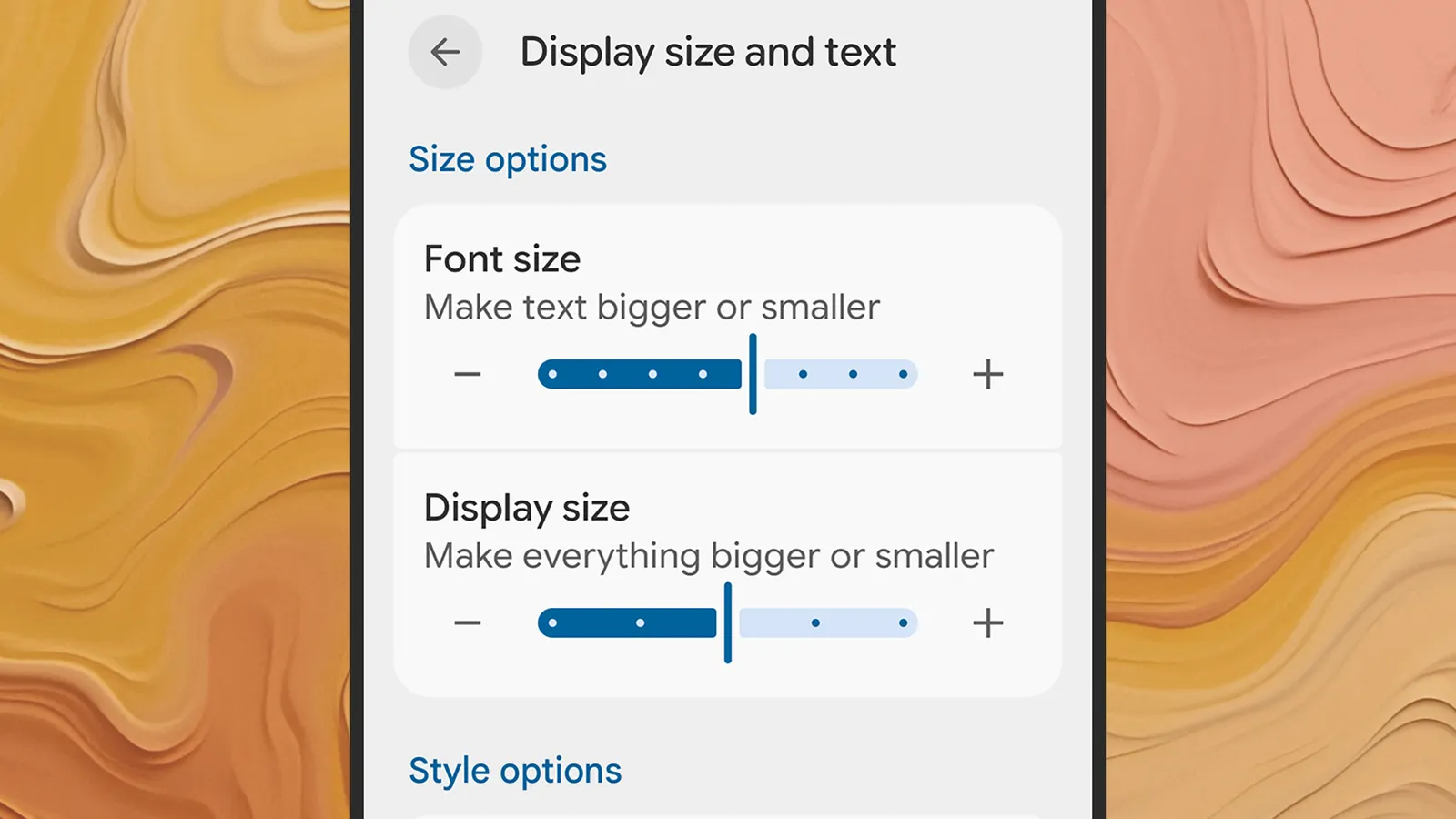
Phone screens are better than they’ve ever been—bigger, sharper, and brighter—but they don’t always offer the best displays for extended reading sessions. If you’ve got a lot of text to get through, you might find yourself turning to a Kindle instead, or even a good old-fashioned physical book.
There are ways to tweak the screen configuration on your iPhone or Android phone, however, to make it more suitable for reading. These changes will reduce the chance of causing you eye strain while minimizing clutter to create a more pleasant reading experience. You won’t transform your phone into something that rivals an e-reader or the printed page, but you can certainly get closer to it.
Tweak the Display Settings
You’ve actually got more control over the font sizes, styles, and colors used by your phone than you might have realized—you can make text easier to read and create a more Kindle-like experience with just a few taps via the main Settings panel.
If you’re on Android, the menu labels will vary from model to model, but on Pixel phones head to Display size and text. The next screen lets you adjust the size of the default font and other on-screen elements to make text bolder, and there’s also a Dark theme option that you might find reduces eye strain.

Adjusting the font size on Android.Courtesy of David Nield
Over on iOS, open up Display & Brightness from Settings: Here you’ll find a Text Size slider you can adjust, as well as a Bold Text toggle switch. As on Android, there’s a dark mode option here via the theme selector at the top of the screen—select Dark to dim the colors all across the iOS interface.
Both Android and iOS also have a night reading mode that reduces the blue light emitted from your phone and makes the whole display warmer—which should make for a more pleasant reading experience. On Android Pixel phones, choose Display and touch > Night Light from Settings, and on iOS pick Display & Brightness > Night Shift. In both cases you can enable the feature manually or via a schedule.
Use Your Browser’s Reading Mode
Much of the reading you’re going to be doing on your phone will be through its web browser, and most modern mobile browsers come with a dedicated reading mode you can use. These modes will reduce onscreen clutter, simplify the color scheme, and bring the main article text to the fore.
If you’re using Google Chrome as your default browser on Android, tap the three dots (top right), then Show Reading mode to switch views for the article you’re currently reading. Swipe up on the panel at the bottom of the screen to change the font and color options. Tap the reading mode icon (just to the right of the address bar) to return to the normal browser view.