dailynewsnblog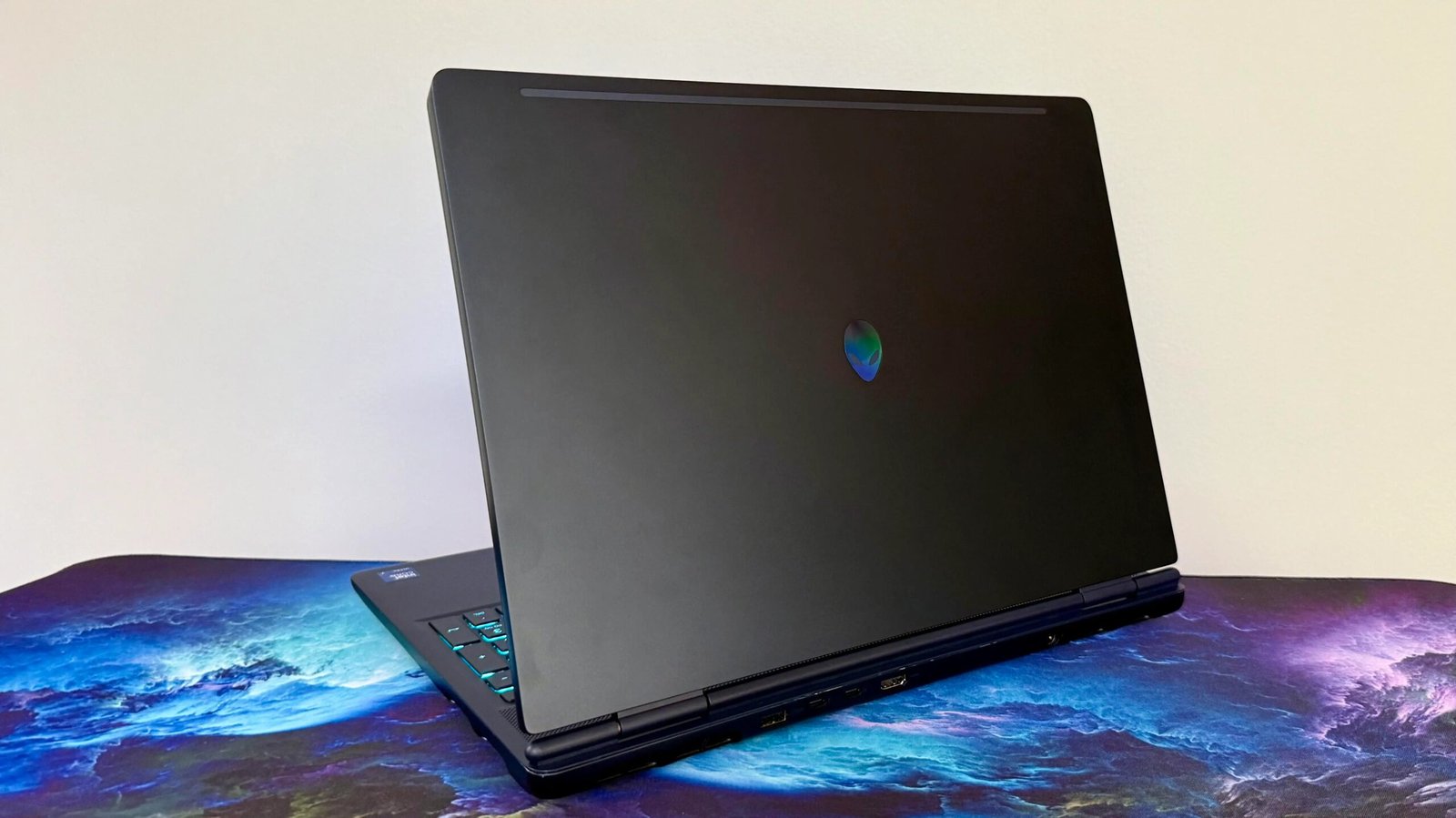

Pros & Cons
-
Excellent display -
Solid keyboard -
USB-C charging support -
Expandable storage
-
Modest performance bump -
Design borders on dull -
Expensive*
The 2026 Alienware 16X Aurora is a simple refresh of last year’s model, squeezing in new CPU options and an updated OLED display. It’s still a high-performance machine with tamer looks than the company’s Area-51 gaming laptop, but it manages to disappoint a bit when it comes to peak performance and design.
While the 16X Aurora may put out strong framerates, I expected more from a fresh new CPU and RTX 5070 Ti than my test unit provided. Plus, despite all the space dedicated to cooling, the system couldn’t sustain full performance, and it failed to leap out ahead as the clear victor over options such as the Acer Predator Helios Neo 16S AI or Lenovo Legion 7 16IAX10. There were even some CPU-bound scenarios that the new processor ought to have helped work around, but didn’t.
Alienware 16X Aurora
| Price as reviewed | $3,550 |
| Size | 2.2 liter (10.5x14x0.9 in/265x357x23 mm) |
| Motherboard | Custom |
| Display | 16-inch, 2,560 x 1,600, 240Hz, OLED, Anti-glare |
| CPU | 2,700MHz Intel Core Ultra 9 290HX Plus |
| Memory | 32GB DDR5-5600 |
| Graphics | Nvidia RTX 5070 Ti (115 watts) |
| Storage | 1TB NVMe M.2 PCIe Gen 4 SSD (boot) (Kioxia BG7) |
| Networking | 1GbE, MediaTek Wi-Fi 7 MT7925 802.11be, Bluetooth 5.4 |
| Connections | Thunderbolt 4 (x1 rear), USB 3.2 Gen 2 Type-C (x1 rear), USB 3.2 Gen 1 Type-A (x1 rear, x1 left), 3.5mm audio connector (x1 left), Ethernet, HDMI 2.1 (x1 rear) |
| Operating system | Windows 11 Home |
This year’s Alienware 16X Aurora is mostly a hardware refresh, just like the Alienware 16 Area-51, adding an OLED display, Intel Core Ultra HX Plus CPUs and an optional RTX 5070 Ti to the available configurations. It comes with a starting price of $2,200, which lands you a modest gaming system with an Intel Core Ultra 7 270HX Plus, an 8GB RTX 5060 graphics processor, 16GB of DDR5 memory, 1TB of storage and the aforementioned new OLED display. Dell offers upgrades from there to an Intel Core Ultra 9 290HX Plus, 32GB of memory, an RTX 5070 8GB or RTX 5070 Ti 12GB and 2TB or 4TB of PCIe Gen 5 storage.
My test model is a higher-end configuration. (Its specs are listed in the chart above.) Its costs $3,550, though storage and memory upgrades could push the price up to over $4,000. Compared to what you could get for that price a year ago, this is an expensive laptop. That’s why there’s an asterisk next to it in the cons listed out at the top of the review. On the surface, it looks overpriced, and it might be by a tiny bit. However, because prices for memory, storage and GPUs are constantly fluctuating, this laptop — and really every other Windows laptop — might be more or less expensive by the time you buy it.
 Mark Knapp/CNET
Strong but not quite as expected
The Alienware 16X Aurora is unquestionably a high-performing piece of hardware that’ll chew through office work and handle a great many games, but it’s not quite as stunning as the specs sheet would have you believe. CPU performance is generally quite strong with great single-core and multicore speeds, though it’s only a modest improvement over last year’s 16X Aurora, which had an Intel Core Ultra 7 255HX.
 Mark Knapp/CNET
It starts to struggle when running synthetic and real-world game benchmarks, though. It doesn’t always reliably switch to its Performance profile from its lower-power Balanced mode. This could leave it lagging behind competitors such as the Acer Predator Helios Neo 16S AI. In games, it’s better about automatically switching performance modes, though its GPU switching can be annoying as it’ll completely freeze for 2-3 seconds while doing the hand-off.
Even then, it doesn’t quite muster as much strength as I’d expect, even in Performance mode. It mostly kept up with the Acer Predator Helios Neo 16S AI across 3DMark’s synthetic benchmarks and in Guardians of the Galaxy, but then lagged well behind in Shadow of the Tomb Raider, despite showing significantly better performance in both the CPU and GPU portions of The Riftbreaker’s benchmark.
The 16X Aurora has some trouble with heat buildup, too. I ran the 3DMark Steel Nomad Stress Test, and it couldn’t pass. In Balanced mode, it came close at 96.4% consistency, but in Performance mode, there was some instability that saw the score drop to 92.4% consistency.
It also shows signs of being CPU-bound at 1080p to a similar degree as many of its competitors, in spite of its new processor. Like many competitors, the Aurora is stuck around 170 frames per second in the Guardians of the Galaxy and Shadow of the Tomb Raider tests. Other high-power systems, such as the Alienware 16 Area-51 AA16250 (2026), Lenovo Legion 9 18IAX10 and HP Omen 16 Max, prove it is possible to get a bit more with more CPU power. But the 16X Aurora can’t, despite having a CPU that should have the muscle to do so.
 Mark Knapp/CNET
Ultimately, the 16X Aurora is fast. It can run Assassin’s Creed Shadows at 1080p High with an average of 60 fps. It’s just not dependably high or always as high as it ought to be with an RTX 5070 Ti and a beefed-up new processor. Though it will mean sacrificing framerate, you’ll likely be best off running at 1440p or the monitor’s native 1600p to make the most of the RTX 5070 Ti. It managed over 100 fps in Guardians of the Galaxy and Shadow of the Tomb Raider at 1440p, though modern titles like Assassin’s Creed Shadows and 007 First Light will entail DLSS and possible frame gen to get there at 1440p.
Battery life was also short for laptops overall and middling even among gaming laptops. The 16X Aurora managed to run for 5 hours and 19 minutes in our online video streaming test, which is much better, at least, than its higher-end Area-51 sibling. It could even stay close to that runtime in normal use, with a mix of browsing and YouTube playback, with the battery drain on track for an estimated 3.5 to almost 6 hours of use per charge.
Tame looks, but built well enough
Dell didn’t redesign the Alienware 16X Aurora to any considerable degree in its efforts to accommodate the new Intel chips and OLED display. This leaves it a decent enough feeling laptop with aluminum exterior panels and a largely rigid chassis. That said, it’s not much of a looker. It’s a mix of subtle curves and hard edges that don’t feel very cohesive. When it comes to display, it’s also fairly thick, perhaps as a lingering design detail of the prior model’s IPS LCD. If it weren’t for the iridescent Alienware logo on the back and the large exhaust vents, it might look like any old workstation.
 Mark Knapp/CNET
However, the 16X Aurora isn’t obscenely large for a 16-inch gaming laptop, which is nice, leaning more towards the middle of the road at 10.5×14.!x0.9 inches. It’s a fairly weighty 5.7 pounds, but that’s still within reason for a gaming laptop in its class. Some models, such as the 4.3-pound Legion 7i 16 Gen 10, have worked to trim down thickness and weight, but Dell didn’t get the memo. Sadly, the 280-watt power adapter is also a mammoth, proving even larger than the Area 51’s 330-watt GaN adapter while weighing 2 pounds.
The size and weight of the system accommodate a modest cooling system. The 16X Aurora pulls air in through a special chamber on the bottom, much like the Area-51, but without that laptop’s flashy transparent panel. The Aurora also has intake vents above the keyboard, hidden by a wide grille. It exhausts hot air out of sizable vents on both sides, plus more on the rear. It makes a little noise, but it’s hardly a bother.
As mentioned above, I found it fairly stable, though it missed passing the 3DMark Steel Nomad Stress Test by a hair with just 96.4% consistency across 20 runs, likely because of some CPU variability. That said, the cooling system was effective in keeping heat away from me while I was gaming. Even after a couple of hours, I didn’t feel much beyond light warmth on the keyboard deck. My mouse hand was also spared too much heat, even with the side exhaust facing it.
 Mark Knapp/CNET
Overall comfort is another story. The front edge of the laptop curves down, but it curves to a sharp edge, and depending on how I rested my wrist, it went from comfortable to irksome pretty quickly.
At least typing on the keyboard isn’t too uncomfotable. It has a typical layout for a 16-inch productivity laptop with shrunken arrow keys and a compact number pad on the right side. The keys have a subtle dish and decent stabilization, while the mechanism offers light resistance and a poppy spring that works well for quick typing.
I hit a satisfactory 114 words per minute with 98% accuracy in Monkeytype without feeling like I was rushing or fumbling. They have one-zone RGB backlighting, though for the life of me, I couldn’t convince Alienware Command Center to let me turn the lights on. The trackpad isn’t bad, but it doesn’t feel great either. Its click is pretty plain, and its surface isn’t glassy smooth.
The display is a real winner for the 16X Aurora. At 2,560×1,600 pixels, it’s satisfyingly sharp for a 16-inch panel, and it’s immaculate. It hit 404 nits in testing, though HDR highlights have the potential to go even higher, and since it’s OLED, it naturally has infinite contrast. The antiglare finish of the display helps keep all those visuals clear, too, even when lowering the display brightness to conserve battery in brighter rooms. The color is stellar, with 100% coverage of the sRGB and DCI-P3 color spaces and an average dE1976 of 0.9 and a max of 2.3. The 240Hz refresh rate and G-Sync make it a wonder for gaming, too, though it’s worth noting that a lot of other gaming laptops are fitting similar panels lately.
The speakers on the 16X Aurora are a bit boxy and become unpleasant at full volume, though they at least put out a lot of sound. Playing 007: First Light, they readily kept up with the action and quips without being drowned out by the fans.
 Mark Knapp/CNET
Above the display, the 16X Aurora fits a 1080p webcam with IR sensors for quick sign-ins with Windows Hello facial recognition. The camera is nice and crisp, with a natural-looking exposure, though it can be grainy in dim environments, which is typical of laptop webcams.
For connections, the 16X Aurora offers Wi-Fi 7 and Bluetooth 5.4, which were both stable in my testing. The port selection, however, is disappointing for a 16-inch powerhouse. The right edge lacks a single connection. The left edge has a USB-A 5Gbps port, a 3.5mm jack and Ethernet. The rear has another USB-A 5Gbps port, a USB-C 10Gbps port, an HDMI 2.1 port and a Thunderbolt 4 USB-C port. Critically, that Thunderbolt 4 port seems to be the only one offering USB power delivery input and DisplayPort output. So, overall, it’s not bad I/O, but it’s fairly limited for a laptop this size.
There are two internal slots for user-upgradeable storage. If you get the system configured with just one M.2 SSD, then there’ll be a second slot for extra storage down the line.
Is Alienware 16X Aurora worth it?
The Alienware 16X Aurora is a pricey machine, even with the current component shortage. While it has some serious hardware, it can struggle to make the most of it all. The display is excellent, but it’s not the only gaming laptop offering a killer 240Hz OLED panel. The cheaper HyperX Omen 15 manages similar performance with “just” an RTX 5070 in many real-world cases and runs a lot longer on its battery. Meanwhile, the similarly configured Acer Predator Helios Neo 16S AI offers comparable speeds and a 240Hz OLED display, also at a lower price. This leaves the 16X Aurora struggling to earn my recommendation.