dailynewsnblog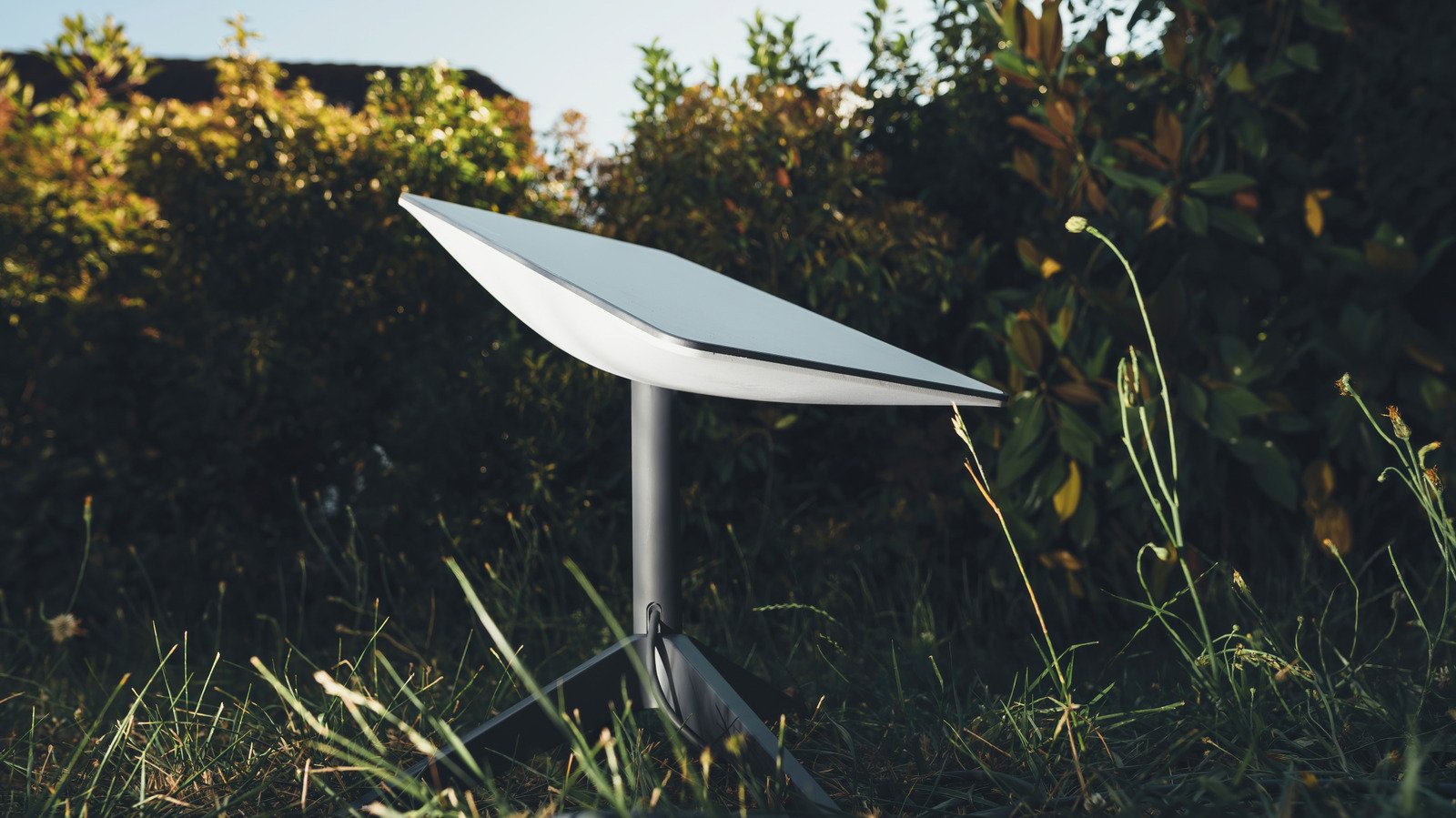
From stationary to on-the-go connectivity needs.

We may receive a commission on purchases made from links.
For years, getting Starlink meant buying whatever satellite dish the company was selling at the time, regardless of your needs. That’s no longer the case. Starlink now offers multiple options designed for everything from connecting a rural home to keeping an RV, boat or remote worksite online.
Choosing a Starlink dish isn’t exactly difficult, but it’s important to understand that the cheapest option, while appealing, won’t always be the best. Alternatively, the most expensive option can be overkill. Portability, durability, performance and whether you need internet at a fixed location or on the move can all affect which setup makes sense for you.
There are six Starlink dishes total that we’ll cover here, some available in slightly different versions or bundles.
Starlink V4
For most people, the V4, which headlines the Standard 4 and 4 X kits, is probably the Starlink dish to start with. It’s positioned for residential users and everyday online activities like streaming, video calls and online gaming. The rectangular design isn’t new to Starlink. The company moved away from its original circular terminal years ago, when Starlink’s rectangular satellite broadband dish was introduced as a smaller, lighter alternative.
The V4 is a rectangular terminal without a built-in motor, so it relies on software-assisted manual orientation instead. The dish measures about 23.4 by 15 inches, weighs 6.4 pounds and has a 110-degree field of view. The biggest difference between the Standard 4 and Standard 4 X kits isn’t the dish itself, but the equipment included. The Standard 4 comes with Starlink’s smaller Router Mini, while the Standard 4 X includes the newer, faster Router 3. The Standard 4 is also sold as a complete kit with a kickstand, power supply and the cables needed to get connected.
The V4 is more than likely enough for most fixed home internet setups unless you have a specific need for portability, extra durability or higher performance. It’s built the things most people expect from a home internet connection without paying for hardware built for RVs, boats or commercial applications.
Starlink V5
The Starlink V5 is the company’s newest residential dish, but it isn’t a performance upgrade over the previous V4. Starlink just made the hardware considerably smaller, lighter and more power-efficient. Starlink’s V5 home dish is smaller and more energy-efficient than the V4, measuring about 15.1 by 12 inches and weighing 2.4 pounds, compared with 6.4 pounds for the V4.
The smaller size also comes with lower power consumption. Starlink lists average power use at 35 to 50 watts for the V5, compared with 75 to 100 watts for the V4. The tradeoff is a slightly lower peak download speed. Starlink lists up to 375 Mbps for the V5, compared with 400+ Mbps for the V4.
The V5 is intended for fixed home internet, not for use while a vehicle is moving. It comes with a Router Mini, a kickstand, a pipe adapter mount and a 15-meter cable, and Starlink says it is currently available only in select areas as production ramps up.
For someone setting up Starlink at home, the V5 is essentially the newer, smaller residential option. Its lower power consumption and lighter hardware could make it easier to install and cheaper to operate, but its availability is still limited and it doesn’t offer higher peak speeds than the larger V4.
Starlink Mini
If you want to take your internet connection with you, the Starlink Mini is the most obvious choice. Starlink describes it as a compact, portable kit designed to provide high-speed, low-latency internet on the go or at home.
The name is pretty fitting. The Mini measures 11.75 by 10.2 inches and weighs about 2.4 pounds, making it significantly smaller and lighter than Starlink’s Standard dish. That portability has been a major part of Starlink’s appeal for travelers, and Starlink users can take their terminal on the road with the Mini. Its built-in Wi-Fi router also means you don’t have to carry a separate router with you.
The Mini uses considerably less power than some of Starlink’s larger dishes, with average consumption of 20 to 40 watts. It can even be powered using a compatible USB-C power source with Starlink’s optional USB-C to barrel jack cable, which could make it especially useful for camping, road trips and other off-grid setups. SpaceX first sold the Starlink Mini for $599, but it has since dropped to $199 when purchased directly from Starlink.
It isn’t just for travelers. The Starlink Mini is now widely available and doesn’t need a residential subscription, making it an option for people who want to use it at home as well as on the road. Starlink says it offers download speeds of up to 300 Mbps. Portability is still the primary reason to choose it. If you’re mainly looking for a permanent home internet setup, the Standard dish may be the more practical option.
Starlink Performance (Gen 2)
You may know the Starlink Performance (Gen 2) by its former name, the Flat High Performance Kit. The company originally developed this hardware for mobility, so Starlink internet service for RVs works on moving vehicles thanks to the dish’s wider field of view and enhanced GPS capabilities.
That makes it more useful for vehicles and boats than the Standard dish. Starlink says its wider field of view can see more of the sky than the Standard dish, which can help it stay connected to passing satellites when a vehicle is moving or a boat is rocking on the water.
The hardware is designed for permanent installation instead of a quick setup. It comes with a wedge mount that positions the dish at an 8-degree tilt to help with water runoff. Starlink lists a 140-degree field of view, peak throughput of up to 450 Mbps for downloads and 60 Mbps for uploads, and a survivable wind speed of more than 174 mph.
The Performance (Gen 2) is built for more demanding situations than the Standard or Mini dishes, with its wider field of view and permanent-installation design making it particularly suited to mobility applications.
Starlink Performance (Gen 3)
The Starlink Performance (Gen 3) is where the company’s hardware starts moving beyond a typical home internet setup. Starlink designed this dish for remote areas and tough environments, including extreme weather and situations where the terminal will be used in motion.
That durability is one of the biggest things separating Performance (Gen 3) from the Standard and Mini dishes. Starlink says it can operate in temperatures ranging from minus 40 to 140 degrees Fahrenheit and survive winds of more than 174 mph. The dish can also withstand water, dust and high-pressure cleaning, with an IP69K environmental rating when its cables are installed.
Performance is another major difference. The dish has a 140-degree field of view and has a peak throughput of up to 475 Mbps for downloads and 75 Mbps for uploads. Its average power draw is listed at 70 watts. Support for both AC and DC power can also make it more practical for specialized installations.
This isn’t the dish most people need to connect their house to the internet. Starlink currently gears Performance (Gen 3) toward Business and Enterprise customers, and its support for AC and DC power and third-party routers gives businesses more flexibility when setting up the hardware.
Starlink Enterprise
Starlink says its Enterprise kit is best for power users and fixed-site business applications, with hardware that offers more installation flexibility than its standard consumer kits. One of the biggest differences is what comes in the box. The Enterprise kit includes a 50-meter, or 164-foot, cable, which can make it easier to place the dish farther away from the building or equipment it will connect to.
It also includes a 5-meter Ethernet cable and can connect directly to third-party routers and other custom networking setups. If you want a Starlink router, Starlink says you’ll need to purchase one separately.
The dish itself uses software-assisted manual orientation instead of a built-in motor and has a 110-degree field of view. It also has an IP67 Type 4 environmental rating and an average power consumption of 75 to 100 watts.
For a typical home user, the Enterprise kit is probably more hardware than necessary. It’s primarily aimed at businesses and other fixed locations that need more control over how their Starlink connection is installed and integrated with an existing network.
Which Starlink Dish Should You Buy?
The right Starlink dish doesn’t depend so much on which one has the most impressive specs, but more on where and how you plan to use it. For most people who need internet at home, the V4 or V5 are the best places to start. The V4 is the more established residential option, while the V5 is smaller, lighter and more power-efficient. Starlink currently lists the V5 as available only in select areas.
The Mini is the better choice if portability is your priority. It’s considerably smaller and lighter than the standard residential hardware, and it can be used both at home and on the go.
For business users, the Enterprise kit offers more flexibility for fixed-site installations and custom networking setups. Meanwhile, the Performance (Gen 2) and Performance (Gen 3) dishes are made for more demanding environments and mobility applications. The Gen 2’s wider field of view helps it maintain a connection in mobile applications, while the newer Gen 3 offers stronger environmental protection and support for both AC and DC power.
Cost isn’t just about the price of the hardware. Both Standard kits and the Mini kit come with a kickstand for basic setup, so you don’t necessarily need to buy a separate mount or pay for professional installation. The Mini also includes a pipe adapter and flat mount, while Starlink offers additional mounts for both kits if you need to install the dish on a roof, wall or other permanent location. Professional installation is available for more complicated setups, but Starlink says its hardware is designed for self-installation.
It’s also worth checking which hardware is actually available in your area before you buy. Starlink’s lineup continues to change, and availability can vary by location.