dailynewsnblog
Any DDR5 kit will run your games.
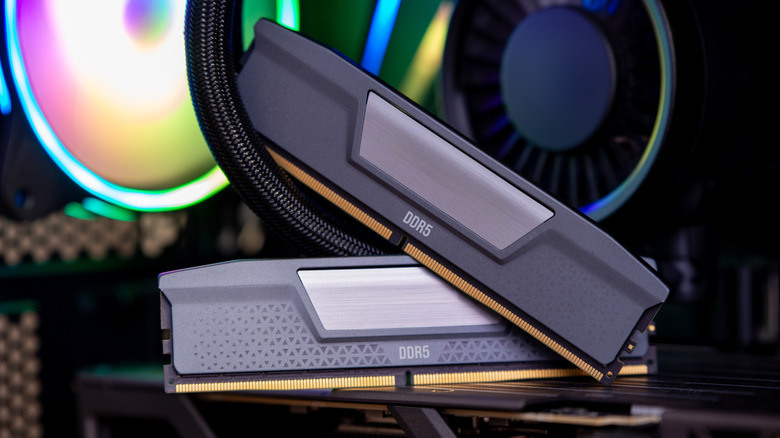
Take a look at any two DDR5 kits, and all that’ll separate them is a pair of numbers on the box. Whether those numbers matter for gaming depends on preference and the thickness of your wallet. Moving up from the slowest to a mid-range kit might bag you a little bit of extra performance, but going any further will make almost no difference despite costing you up to hundreds of dollars more amid crazy RAM pricing.
That’s because there is no DDR5 speed that a particular game requires. Any game that runs on DDR5 will do so just fine on the DDR5-4800 kits at the low end of the market. At the higher end of what’s available, the DDR5-7200 and DDR5-8400 kits marginally improve frame rate during processor-bound gameplay.
The numbers, Mason, what do they mean?
All DDR5 kits are labeled with a four-digit number, like DDR5-6000 CL30. The number appended to DDR5-XXXX is the data rate in millions of transfers per second, while CLXX is the latency, counted in clock cycles. Many people confuse the data rate with clock speed because it looks like a clock speed. But it isn’t. The clock in a DDR5-6000 kit ticks at 3,000 MHz, and the memory moves data on both the up and down stroke, hence 6000.
CL30 or CL36 is the CAS latency. In other words, it’s the clock cycles between the processor asking for something and the memory responding. And because those cycles get shorter as the clock climbs, a DDR5 kit can have a bigger CL and still be no slower to respond. Multiply the CL by 2000, divide by the data rate and you’ll have the real figure in nanoseconds: 10 for a DDR5-6000 CL30 kit and nearly 17 for a “bargain” DDR5-4800 CL40 one.
JEDEC’s standard timings keep that number close to 14 nanoseconds all the way from DDR5-3200 to DDR5-8800, so a faster kit with proportionally looser timings isn’t quicker off the mark, just wider once data’s flowing. Such is the difference between budget kits, which sit at DDR5-6000 with CL36 or CL40, and premium ones, which either tighten to CL30 or CL28 at the same speed or push on to DDR5-9600 with CL34 to CL46.
It’s really up to processor limitations
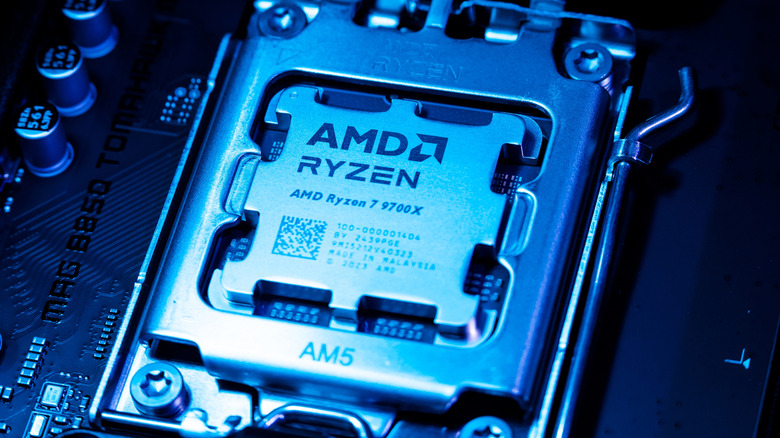
AMD’s spec sheet for a Ryzen 9000 processor lists DDR5-5600 as the supported memory speed. For the older Ryzen 7000, DDR5-5200 is the supported speed. That’s the speed AMD has validated for two ordinary sticks of RAM, but it’s slower than what everyone ends up installing. Almost every AMD build has a DDR5-6000 kit because Ryzen’s memory controller can run at the same clock as the memory up to roughly 3,000 MHz. If you fit anything faster, the controller will fall back to half the memory’s clock to keep up, and that’ll add delay to every request and cancel out the speed you paid extra for. Tom’s Hardware, for example, showed how DDR5-6000 CL30 finished ahead of a DDR5-6400 CL32 kit even though the 6400 is faster on paper.
Intel’s Core Ultra 200S desktop chips give us a bit more wiggle room. That processor can take DDR5-6400 out of the box with CUDIMMs (essentially modules with their own clock driver) or DDR5-5600 with regular RAM sticks. Corsair, meanwhile, says that DDR5 between 6400 and 7200 is best for 13th Gen Intel. But do keep in mind that Corsair is a memory maker talking about its own top-end products.
TL;DR: Is DDR5-4800 too slow?
In short, no. Okay, yes, the “low-end” DDR5 kits are slower on paper, but that’s really as far as it goes for most consumer use cases. DDR5-4800 is the 2021 launch speed for better efficiency and the baseline that every DDR5 processor is built to run. In Intel testing from Tom’s Hardware, the lowest-scoring 32GB kit, a loose-timed DDR5-6400, finished about 4 percent behind the fastest across a range of heavy productivity work.
DDR5-5200 sits just above that. It’s the speed AMD validated for Ryzen 7000, and either a 4800 or 5200 kit is perfectly good for gaming. Meanwhile, the high end of the range keeps climbing higher and higher. JEDEC, the organization that develops open standards for microelectronics, upped the official limit to 8,800 MT/s in 2024, and the fastest kits now run at 9600. By bathing a Corsair kit in liquid nitrogen, Gigabyte managed (for the love of the game) to push it to 13,556 MT/s at June’s Computex event, but that’s neither here nor there.