dailynewsnblog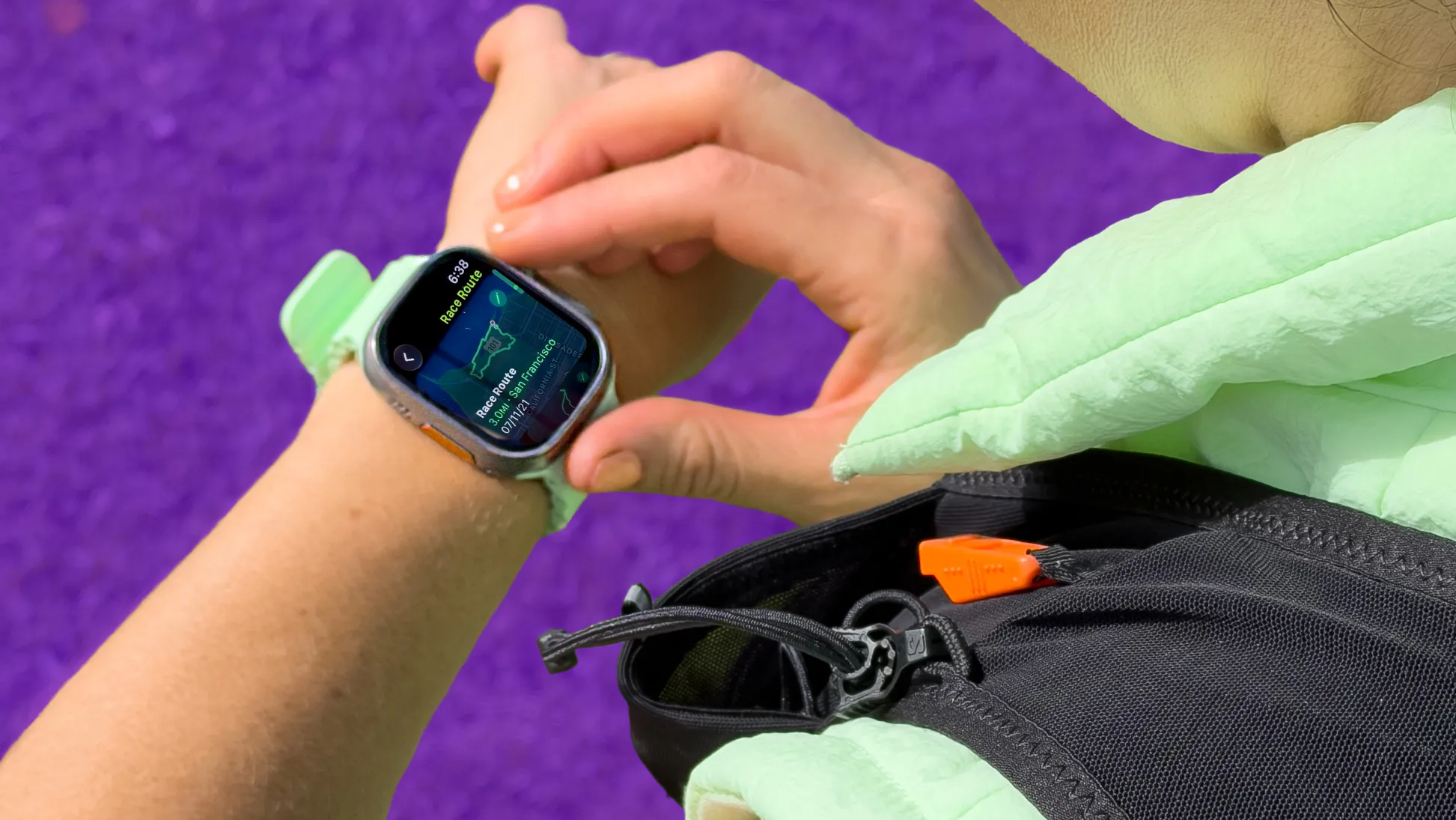
As a longtime Apple Watch wearer and runner, I thought I knew everything there was to know about the watch’s running features. Turns out, there was still plenty I hadn’t explored, and a few of those features could’ve made training a whole lot easier.
With the San Francisco Marathon happening this weekend, I got a crash course in Apple Watch running features from Apple. Most of these work on every model running the latest version of watchOS, while others are exclusive to the Apple Watch Ultra series. These are the features I’m adding to my own training routine.
Read more: The Future of Apple Watch AI Isn’t a Chatbot. It’s a Coach
1. Custom Workouts
Instead of trying to remember every interval or warmup, let your Apple Watch guide you through the workout.
To build your own workout, open the Fitness app on your iPhone and tap the Workouts tab. Find your workout of choice (Running, in my case), tap the timer icon, select Custom Workout, then scroll to the bottom and tap the + button.
Give your workout a name so it’s easy to find later on your watch (try adding an emoji or three), then build your routine. I started mine with two-minutes of warmup drills, but you can also create segments based on distance, time or heart rate zones. You can even repeat an entire sequence so you don’t have to re-create each interval individually, then finish it off with a cooldown if that’s your jam.
Once you’re done, the workout automatically syncs to your Apple Watch. The next time you start a run, tap the timer icon, select your custom workout and go. The watch keeps track of every segment and buzzes your wrist when it’s time to move on, so you can focus on running instead of watching the clock.
2. Pacer
If you’re the type who gets a little too hyped at the start of a race and ends up burned out halfway through (like me), Pacer can help.
From the Running workout on your watch, tap the timer icon, scroll down to Pacer, tap the + button, choose your race distance and enter your goal finish time. The watch calculates the pace you’ll need to maintain.
Next, go back to that timer icon on the top right-hand corner of your running workout on the watch, then scroll down to find the Pacer plan you just created. The interface will now show a progress bar on screen instead of your usual stats, which moves to show whether you’re ahead or behind your target pace. Red means you’re falling behind, green means you’re moving faster than your target, and the sweet spot is right in the middle.
You can also swipe between screens to see your usual workout stats throughout the run.
3. Race Route
If you always run the same neighborhood loop or trail, you might be able to use it to compete against yourself.
Open the Running workout, tap the timer icon, scroll down to Race Route and select one of your saved routes. Then choose whether you want to race against your personal record or your latest run.
I’m still working my way back from an injury, so I’ll be using it to chase my previous best.
Bonus Features for Apple Watch Ultra
The Ultra models in Apple’s smartwatch line, like the latest Apple Watch Ultra 3, add a few running features you won’t find on the standard Apple Watch.
Precision Start
If you’ve ever started a workout with an Apple Watch, you’re familiar with the three-second countdown after you press start. This, among other things, gives the watch time to find a GPS signal. But it’s not great for race day if you just want to get up and go.
To get rid of it and enable precision start, open Settings on your watch, scroll down to Workout and turn on Precision Start.
Now when you begin a workout, the timer starts immediately. It may not have locked into GPS off the bat, but you’ll know if it has when the compass icon in the upper-left corner turns blue.
Action button running shortcut
If you want to get into a run even faster, you can assign the Action Button to launch your favorite workout.
Go to Settings > Action Button, choose Workout, then under First Press select Outdoor Run. You can even assign it to launch one of the Custom Workouts you just made.
Quick Pause Shortcut
Instead of relying on Auto Pause, an Apple Watch Ultra model also lets you instantly pause and resume a workout by pressing any two buttons at the same time — no sweaty screen swiping for me.
More AI running features in your future
If you have an Apple Intelligence-compatible iPhone (iPhone 15 Pro or later) paired with an Apple Watch running watchOS 26, you’ll also be able to use Workout Buddy.
Workout Buddy is an AI-powered voice companion that uses your workout history, pace, heart rate and fitness data to give you real-time personalized encouragement during your run.
Instead of generic prompts, it can say things like, “This is your fastest mile yet,” or remind you that you’ve already run 40 miles this month. With the upcoming watchOS 27 set to roll out in September, Workout Buddy will also be available in Spanish.
Whether you’re running the San Francisco Marathon this weekend, training for your next race or just trying to get back to your personal best, I hope a few of these tips help make your next run a little smoother.

See full bio