dailynewsnblog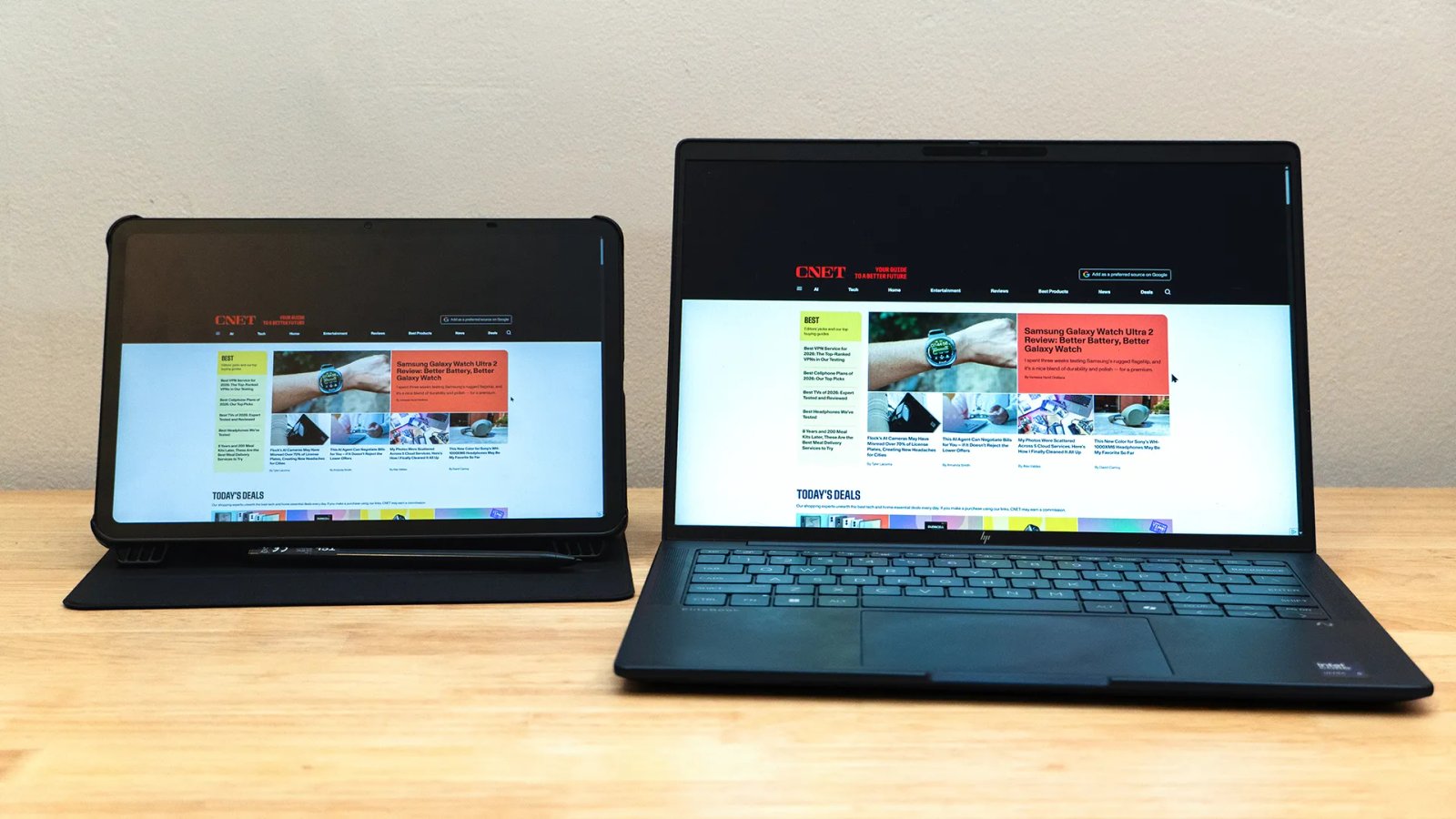
I’ve reviewed almost two dozen portable monitors in the last few years. While some were impressive, I’ve had a hard time ignoring that there’s an entirely different class of portable displays out there with the potential to serve the same purposes and do a lot more. Most aren’t even more expensive.
The TCL Nxtpaper 11 Gen 2 is a great example. It’s a modest Android tablet with a decent display, active stylus support and a price tag that’s similar to the better portable monitors I’ve tested. The tablet starts at $210. Bundles with a stylus and flip case can be found for a little more, as well as one with double the storage at 128 gigabytes.
 Mark Knapp/CNET
There are better tablets, if I’m being frank. The 1200p/60Hz display isn’t the sharpest or brightest on the market, though TCL’s screen tech is easy on the eyes and great at eliminating glare. The MediaTek Helio G80 isn’t a new high-performance chipset for hard-core gaming, but it gets the job done. The 8-megapixel rear and 5-megapixel selfie cameras also aren’t trying to win awards. Still, it’s a fine tablet. It’s happy to play videos, browse the web and run some light games.
However, all it takes is one app to make it an entirely different device. Using SuperDisplay (which has a short free trial, but costs $10 otherwise), I was able to pair the Nxtpaper 11 Gen 2 with my laptop to use it as a portable wireless monitor, and it’s quite an astounding one for the money. While the Nxtpaper 11 Gen 2 does technically have its own built-in tool for operating as an external display, it’s inexcusably bad. Not only is the latency high and not only do the visuals look compressed, it won’t even use the display’s native 1200p resolution — hence me seeking out a third-party alternative.
 Mark Knapp/CNET
I ran the Nxtpaper 11 Gen 2 through my usual range of portable monitor tests, and it did well. The display achieved 98% coverage of the sRGB color space and 74% of the DCI-P3 color space. It’s also plenty bright and punchy, hitting 428.1 nits with a 1,480:1 contrast ratio.
These numbers are in line with the performance you might get from a $100-$200 portable monitor. Portable monitors that, it’s worth noting, almost invariably need external power (in other words, more cables and a power source) to run at full brightness. The 11 Gen 2 doesn’t since it draws power from its own battery.
 Mark Knapp/CNET
If the SuperDisplay app just let me use the tablet as a display, that’d be fine, but not terribly special. It has another trick up its sleeve, though. SuperDisplay also converts the Nxtpaper 11 Gen 2 into an additional interface option. I could use the tablet’s touchscreen to navigate just as if it were a Windows tablet. Even better, the 11 Gen 2’s pressure-sensitive stylus also works. So, with Photoshop fired up, I was able to doodle with pressure-responsive brushes that were otherwise lost on my laptop.
 Mark Knapp/CNET
The last portable monitor I tested with touch and stylus support was the Lenovo ThinkVision M14t Gen 2. It offered comparable color gamut and contrast and a lower sub-300-nit brightness, yet it cost about twice as much. Looking around online, I found very few drawing tablets available for a price that was competitive with the 11 Gen 2 plus SuperDisplay.
There’s another major difference between portable monitors and a tablet like this: When the monitor is unplugged, it does nothing. An Android tablet, once unplugged, is still a tablet.
 Mark Knapp/CNET
As useful as this setup is, I can’t say using the TCL as a portable monitor was a perfect experience. Though it can work over USB or Wi-Fi, I experienced some subtle latency and frame skipping, so it won’t be ideal as a portable gaming monitor. That said, it wasn’t so bad that I couldn’t play some light platforming games.
The latency didn’t hinder my stylus use either. However, it’s possible you might encounter some USB driver issues, potentially causing connectivity issues with other USB devices like SD card readers. That will likely depend on your hardware.
Those minor issues ultimately didn’t stand in the way of me finding the TCL Nxtpaper 11 Gen 2 and SuperDisplay working together as an impressive pair, allowing a fairly plain tablet to turn into something quite a bit greater.
The 11 Gen 2 is just one example of using a tablet to cosplay as a portable monitor. I’ve used SuperDisplay with other more powerful tablets, like the older Samsung Galaxy Tab S7 Plus, enjoying its fast OLED display and stylus input. Flexibility is the name of the game here, not to mention value. Compared to a traditional portable monitor, SuperDisplay combined with a tablet like the TCL Nxtpaper 11 Gen 2 has flexibility in spades at a great price.