dailynewsnblog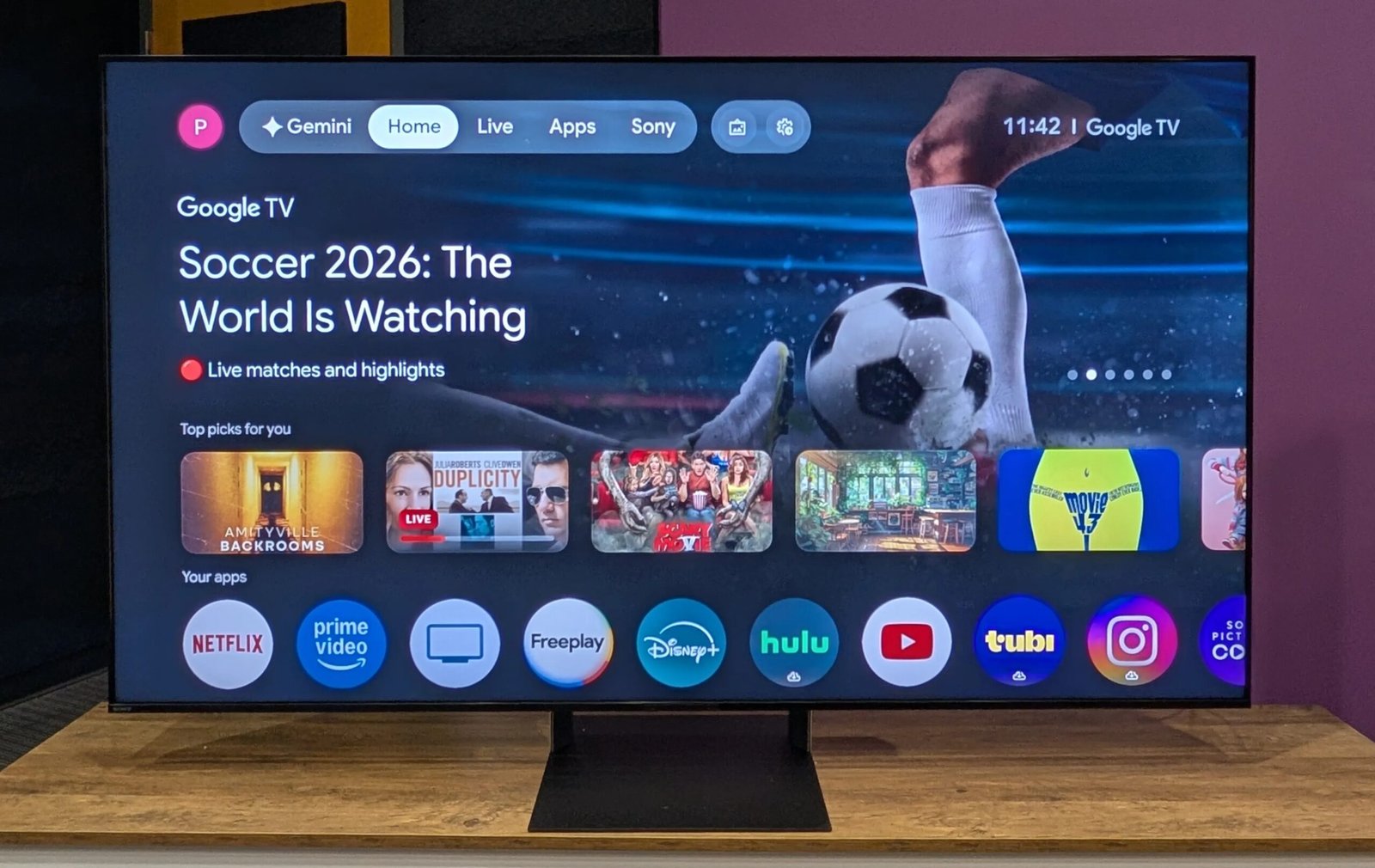

Pros & Cons
-
The Sony BRAVIA 9 II has excellent color coverage -
This TV is the best RGB LED model so far
-
It’s more expensive than OLED
Over the course of the 21st century, LCD TVs have battled against three different technologies — CRT, plasma and OLED — all capable of producing better native contrast. With every new iteration of LCD backlighting technology, which now uses RGB LEDs, liquid crystal panels have always strived to be the Impossible Burger to OLED’s (and other emissive tech’s) red meat. Based on my testing, Sony’s Bravia 9 II is the best of any such technology yet, but you’ve got to ask yourself, “Why?” Why produce a TV that’s more complicated and expensive to manufacture when OLED is literally right there? Relationship status: It’s complicated.
RGB, RGB Mini-LED, Triluminous — whatever you call it, I’ve tested the cream of the Micro RGB TVs this year. From the Samsung R95 to the Hisense UR8 and the Sony Bravia 9 II, it probably won’t come as a surprise to Sony fans that the Bravia is the best of them. This is not a thrown-together, “gotta have Micro RGB” afterthought; this is a well-planned and executed TV. Yet, the biggest bubble gum under the gas pedal for this Sony TV is that OLED is really, really good, and really, really better. OLED may not get as bright as an LED TV, but it’s capable of infinite contrast, which is something an LCD TV will probably never be able to achieve, no matter how good its backlight is.
Yet, from my tests, I found that the Sony was capable of a punchy, colorful picture that held up well against the competition. If I were in the market for an RGB LED TV, this is the one I’d buy. But if the Bravia 8 II or LG G6 OLEDs were cheaper, I’d get one of those first.
Sony XR90M2 series TV sizes
I performed hands-on testing of the picture quality of the 65-inch Sony XR90M2, but this review also applies to the other screen sizes in the series. All sizes have similar specifications and should exhibit similar picture quality.
(A) Stand apart
 Ty Pendlebury/CNET
We’re 20 years past when TVs actually had a sizeable bezel — now they’re basically just a panel — and so there’s not much for the design team to do. Thankfully, there’s a company like Sony, which has delved into its own past to inform the makeup of its flagship TV. It’s not much, really, but the Mirage Stand has a translucent section which harkens back to the floating bezels of 2000s-era Bravia TVs. Otherwise, the rest of the TV is fairly understated, with its black bezel and unusually chunky 1.7-inch depth for the 65-inch version.
 Ty Pendlebury/CNET
The remote is a fairly standard Sony issue, with its friendly layout, though the blue paint spatter effect will make you think the clicker is always dirty.
Google me this
Unless you’re on the hunt for a Roku TV, it’s unlikely that you’re basing your purchasing decision on which smart TV system the screen comes with. That’s because all the major smart OS options do what you need them to do — stream content, change inputs and adjust settings. The Sony Bravia 9 II, like all Sony TVs for the past 10 years, uses Google (née Android) TV.
Google TV has had a number of notable upgrades in the previous decade, designed to both highlight streaming content and make it easier to control a Google smart home. The TV comes with an onboard microphone and Google Gemini, allowing it to double as a smart speaker — though it obviously uses much more power than one.

While the TV’s interface is less customizable than before — for instance, you get less choice over which services are highlighted — it still does a better job at surfacing content than the new Roku home screen, for instance. Yet, Sony being Sony, the company can’t help but tinker, and this isn’t a bog-standard version of Google TV.
The main additions are to the picture menus, which now break down into a two-tier system. For instance, if you choose Picture from the Google menu, the system dumps you into the second illustrated menu. You can choose the picture mode based on content type, though if you choose Movies, then it chooses the dim Professional mode, and you can’t get out of it without visiting that second menu. Removing the new menu entirely would make the interface less visually appealing but potentially less confusing.
RG-Be True
The new TVs, which slot either side of the flagship Bravia 8 II OLED , are powered by Sony’s proprietary RGB Backlight Master Drive Pro, which independently controls the individual red, green and blue LEDs in the backlight. Geoff Morrison covered the True RGB backlight for CNET here. Sony claims its version of RGB backlighting is superior to competitors’ as the screen receives color information from both the LCD layer and the LEDs, which it claims creates the “largest color volume in Sony’s home TV history” and better colors when viewed off-axis.
The Bravia 9 II includes the anti-reflective Immersive Black Screen Pro coating, plus up-firing beam tweeters for better Dolby Atmos audio. Be aware that the largest TV in the lineup — the 110-inch version — doesn’t include the glare-free coating, despite its $30,000 price tag.
The Bravia 9 II has a 120Hz refresh rate with local dimming, though Sony refused to elaborate on how many dimming zones it has. It has a lot, based on how well it did with high-contrast scenes, but it’s up against screens that do share their specs, such as TCL’s QM8L with its 4,000-plus zones.
Connections include:
- Digital optical port
- Four HDMI 2.1 ports
- Coaxial RF port
- 2 USB ports
- Ethernet
- RS-232C
Sony Bravia 9 II, Hisense U7 vs. Hisense UR8 vs. TCL QM8L vs. LG C6
Picture quality compared
TV and movies
In an epic lineup of six TVs — including the TCL QM8L, Hisense U7 and UR8, Samsung R95, LG C6 and Sony Bravia 9 II — I found the Sony had the best non-OLED picture, with plenty of saturation and punchy contrast. Yet it was also the most expensive.
I had started my comparisons by playing the opening scenes of the Squid Game pilot, and, given that the Sony Bravia 9 II and the Hisense backlights work in a similar way, it was a little surprising to see that the TVs performed very differently. The UR8 looked incredibly green compared to the Sony, which was able to make a better, more natural sense of the gloomy colors. In comparison, the Hisense U7 label-mate looked a little washed out and over-bright.
When I switched out the Hisense models for the LG C6 OLED and Samsung R95 RGB TV, I expected the much cheaper OLED to struggle against the Sony. Yet the C6 held up well against the other TVs, rendering the skin tones in Netflix’s All Quiet on the Western Front with colors as rich and saturated as the competition.
TCL’s QM8 TV has led the field when it comes to reducing blooming on contrasting images, and here it managed to best the Sony Bravia 9 II as well. When watching the Spears and Munsil 4K test disc, which features colored objects on a black background, the Sony TV’s images had more of a halo around them than the TCL TV’s. Yet, when viewed off-angle, both TVs showed significant light blooming, though the Sony also did well when it came to maintaining color saturation.
Lastly, one artifact I saw with the Samsung R95, and which I didn’t see with the Sony, was some colored blotching when looking at a white test screen. Yet, as a caveat, I mainly saw this effect when the Samsung was close to a rear wall. Later, when the R95 was situated in free space, the artifact did not appear. My colleagues at ZDNET and PCMag, who also saw the effect, and I have contacted Samsung about this, but we’re still waiting for a compelling explanation.
Bright room
The Sony Bravia 9 II has an excellent anti-reflective coating, and when combined with its high brightness, it’s a really good choice for mixed use — whether it’s theater-like darkness at night or intense PlayStation gaming sessions in the day. Of the six panels I tested using my patented “shine my flashlight on the screen” test, the Sony was second only to the Hisense U7, and beat other competitors such as the Samsung R95 and the Hisense in its ability to reject even direct light sources.
Gaming
While Sony isn’t the only manufacturer that has fallen foul of this next test — the Hisense U7 and UR8 are much worse — there is a big difference between running games in Professional mode and Game. That’s because a lag time of 40 milliseconds is typically noticeable when playing games, but using my Leo Bodnar lag tester, I recorded up to a 180 ms lag in Professional mode. This means the Sony’s lag is twice that of most TVs when set in a Cinema mode, though the U7 is correspondingly unplayable at up to 550 ms. With Sony’s Game mode, scores are a much more presentable 10.9 ms or less. The takeaway is that you should always take the time to set your TV to a dedicated game mode to avoid unnecessary lag.
Picture settings and testing notes
The big hullabaloo of 2026 is TVs that can finally achieve BT.2020 color, an HDR specification that, until now, screens have struggled to meet. The Sony Bravia 9 II has the second-best coverage of this spec I have seen, at 91.86%, though this number doesn’t mean that much on its own. That’s because most content that’s out there in the world doesn’t feature HDR at all, let alone BT.2020. I’m wary of “future-proofing” features because they don’t always pan out (take a bow, 3D), but the Sony does offer “millions and billions” of colors without the green cast of its RGB screen rival, the Hisense UR8.
Despite Sony’s insistence that Professional is the best mode to watch TV in — the company doesn’t subscribe to the Filmmaker setting — I found a better one. When testing each individual video mode, as I do with every TV, I found that the Cinema mode offered the best images. The only caveat is that it adds motion compensation by default, but this is easily disabled in the menu.
Sony Bravia 9 II TV performance chart
| Result | Score | |
| 1080p | ||
| Black luminance (0%) | 0.001 | Good |
| Peak white luminance (SDR) | 2930 | Good |
| Avg. gamma (10-100%) | 2.23 | Good |
| Avg. grayscale error (10-100%) | 4.78 | Average |
| Dark gray error (30%) | 3.32 | Average |
| Bright gray error (80%) | 6.05 | Poor |
| Avg. color checker error | 3.68 | Average |
| Avg. saturation sweeps error | 3.47 | Average |
| Avg. color error | 3.87 | Average |
| 1080p/24 Cadence (IAL) | Pass | Good |
| Input lag (Game mode) | 10.90 | Good |
| Test (4K HDR) | Result | Score |
| HDR10 | ||
| Black luminance (0%) | 0.000 | Good |
| Peak white luminance (10% win) | 3229 | Good |
| Gamut % UHDA/P3 (CIE 1976) | 99.17 | Good |
| ColorMatch HDR error | 1.89 | Good |
| Avg. color checker error | 1.81 | Good |
| Input lag (Game mode, 4K HDR) | 10.33 | Good |
| Gamut % UHDA/P3 (CIE 1976) | 99.17 | Good |
| Gamut % HDR BT.2020 (CIE 1976) | 91.86 | Good |
Should you buy the Sony Bravia 9 II?
If you resolutely refuse to buy an OLED, then the Sony Bravia is the next best thing. It has excellent color and image processing, and it has smacks of the Sony techno-glamor that its proponents love. Yet, as with everything, it becomes a performance versus value consideration. Most competitive OLEDs cost less and look even more dynamic than the Sony. While these TVs don’t boast as many total colors, the majority of content doesn’t cater to that anyway. And did I mention competing OLEDs cost less? But, if you’ve got to have a Sony, this is one of the two best out there.

See full bio