dailynewsnblog
The Xbox app has been rolling out to Hisense and other VIDAA OS-powered TVs.
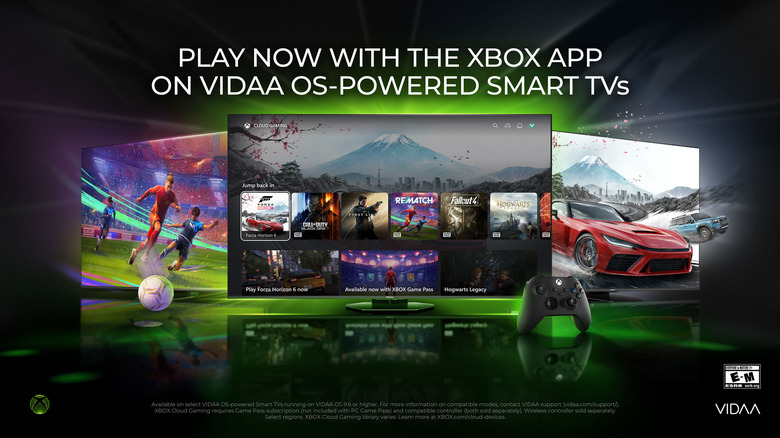
If you own a supported Hisense TV, then you’ll be able to play Xbox games, via Game Pass, without needing to buy a console. Apparently, the Xbox app has been rolling out to supported Hisense and other VIDAA OS-powered TVs released between 2024 and 2026 over the past month. Microsoft’s gaming division said in its announcement that it’s continuing to bring Xbox to more devices people already own, especially for those “who may not be able to afford or justify buying dedicated gaming hardware.” Over the last four years, the company released the Xbox app for Samsung TVs, LG TVs and Amazon Fire TV devices.
To be able to actually play any games on the app, however, you’ll need to have a Game Pass subscription. Any tier will do, except for the PC only option. An Essential membership will cost you $10 a month, a Premium one $15, and an Ultimate one $23. The Ultimate subscription gives you access to the most number of games — over 500 — and will give you a way to play select new titles from launch day.
As Game Pass is a streaming service, you will need to be connected to the internet while playing. You’ll also need to have either an official Xbox controller or a Bluetooth-enabled alternative. Xbox has also been testing a way for you to stream the games you already own for free, but it’s only available to Insiders (or testers) for now.
VIDAA OS was developed by Hisense for its TVs, but the platform is also being used by Toshiba and some European brands for select models. If the Xbox app hasn’t made its way to you yet, you may just need to keep waiting: Microsoft says it will keep rolling out the app to VIDAA OS TVs. You may also want to make sure that your TV has the latest software. If not, update it and and then go to the Games section from the Home screen to check if the app has already been installed on your device.