dailynewsnblog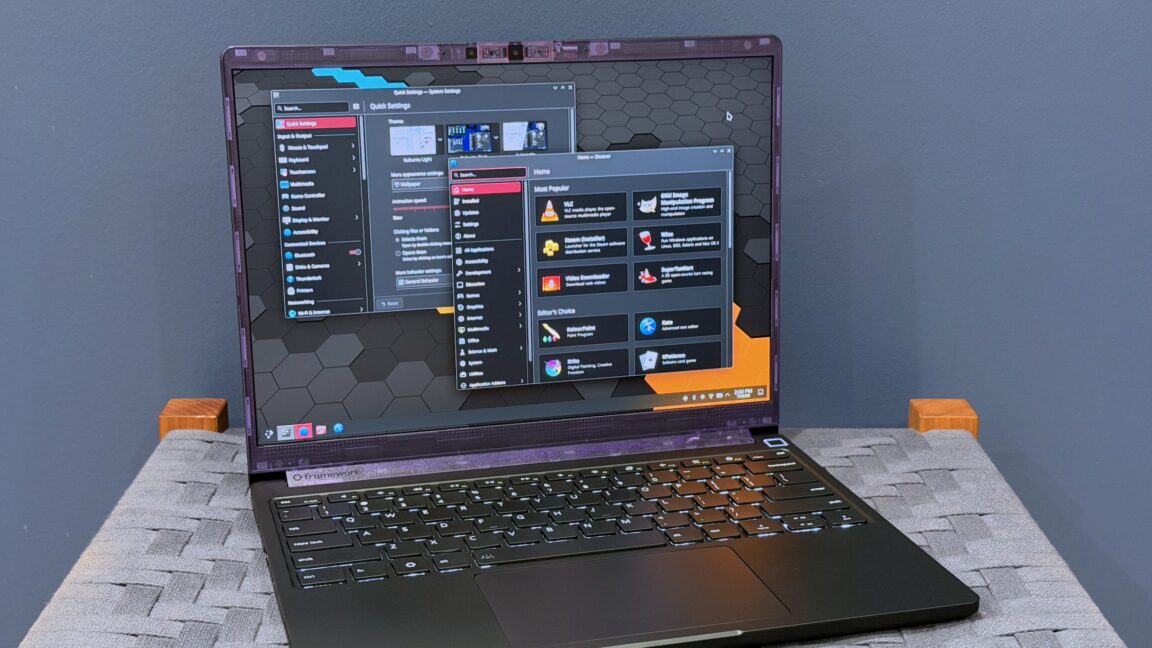
Those are all marginal but noticeable improvements over the previous-generation display, and if you’re still using a glossy or matte 2,256×1,504 screen from early Framework Laptop 13 iterations, this new screen will be an especially noticeable upgrade. But it’s still not an OLED display, and it’s still missing complete coverage of the DCI-P3 color gamut, to name a couple of more advanced features that remain absent. And the display quality still isn’t perfect; I noticed minor light bleed across the top of my review unit’s display when it was showing something dark.
(One less-noticeable screen change: the top corners of the new screen are actual 90-degree angles again, rather than little curves. The curves on the older display were a side effect of a display panel Framework used that was originally designed for another company. The corners never really bothered me that much, and I hesitate to call this an “upgrade” in and of itself. But the rounded corners didn’t line up with Framework’s bezels, and Windows and Linux have never respected the tiny little dead zones that they create, so, sure, fine.)
In the end, this is still the Framework Laptop 13. But it’s probably as close to a design overhaul as you can get while still maintaining compatibility with a critical mass of important parts (the board, screen, and expansion port modules chief among them).
“The MacBook Pro for Linux users”
Framework is positioning the Laptop 13 Pro as a “MacBook Pro for Linux users,” and Ubuntu 24.04 LTS is available for the first time as a preinstalled OS for the laptop’s prebuilt edition.
The Laptop 13 Pro still supports Windows 11 just fine, of course, and for the sake of consistency, all of my performance and battery benchmarks were done in Windows 11 25H2.
But aside from the ability to have Linux preinstalled, there’s actually nothing special about the Laptop 13 Pro’s Linux support. That’s because Framework has officially supported Ubuntu and Fedora on all of its laptops, including previous Laptop 13 models. After a couple of bumpy years during which Linux users who wanted BIOS updates would need to figure out how to temporarily install Windows first, Framework’s BIOS updates are available for easy download and installation through LVFS (the Ryzen 7040 version of the Framework Laptop that I run Kubuntu 26.04 on, for example, grabbed its Laptop 13 Pro-supporting BIOS update through the same updater as all other apps and system components).