dailynewsnblog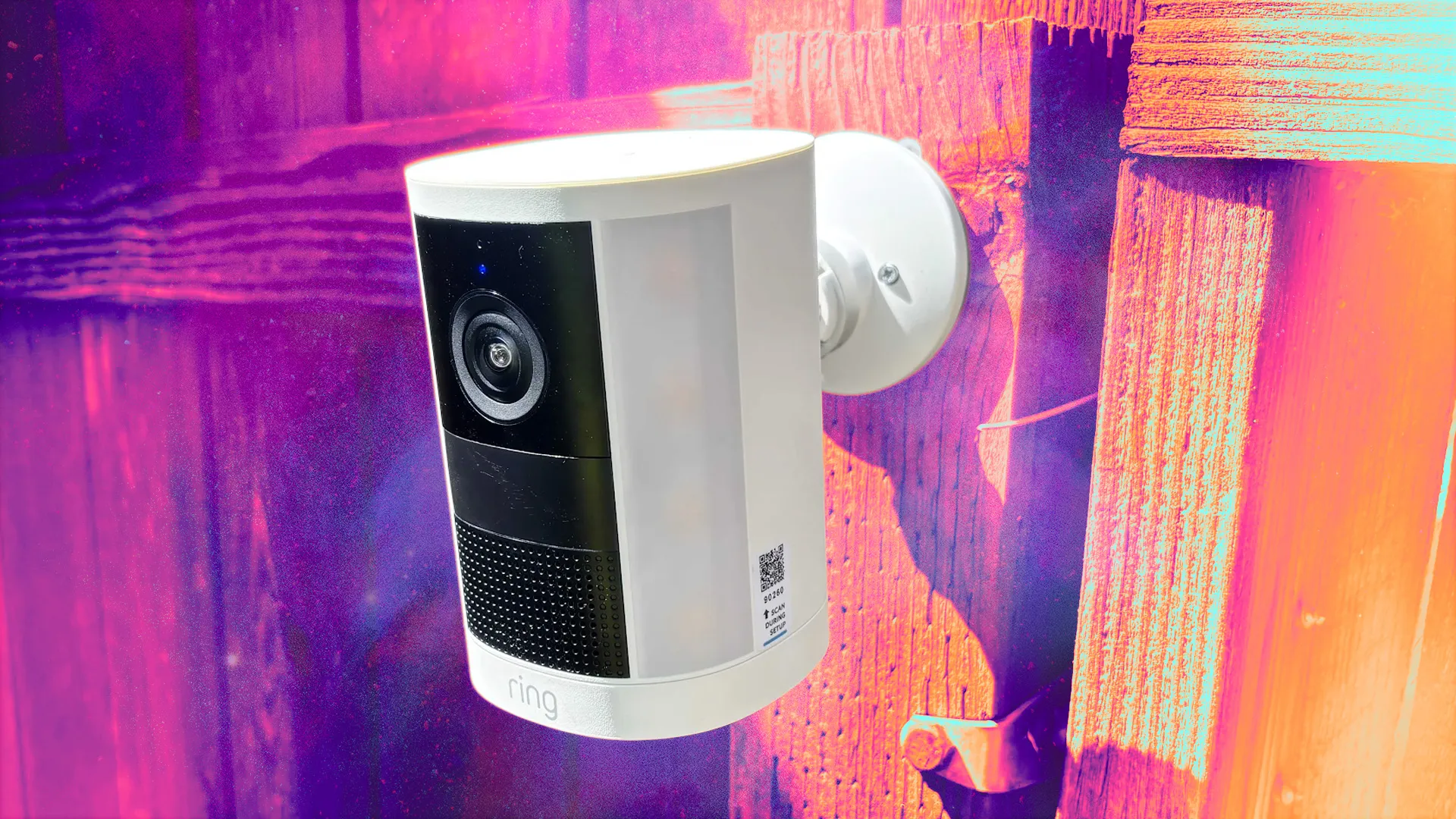
A spotlight security camera is an interesting hybrid device. In addition to a powerful cam, it includes LED panels for illumination, without the sometimes stringent requirements of a floodlight security camera. These spotlight cameras are something of a specialty for Amazon Ring, and its latest 2026 battery version ($170) is the best I’ve tested.

Ring’s new spotlight camera is one of the best of its kind, if you don’t mind making adjustments. / Tyler Lacoma/CNET
Ring Spotlight Cam (2026)
Pros & Cons
-
Upgraded 2K resolution -
Two LED panels cover a surprising amount of ground -
Very comprehensive app with settings and adjustments for everything -
Extra battery slot for a second battery, which is very helpful for the spotlight -
Offers a solar-power or wired bundle, too -
Setup is relatively easy -
Multiple ways to adjust brightness and conserve power
-
Batteries drain fast when the spotlight is used -
Ring’s surveillance features make some people uneasy, but can be turned off -
The AI subscription is expensive at $20 for what you get in return
However, adopting this jack-of-all-trades security device also means signing up for Ring’s other services, not all of which are opt-in. Some services, like the way Ring uses the Neighbors section of its app to send info to the police or rope your camera into looking for pets, give people privacy and surveillance anxiety. Fortunately, you can turn these AI features off if they frustrate you, although you will still need a Ring plan if you want to use cloud video storage.
That said, this Ring camera is one of my top suggestions if you have a section of your yard or driveway that needs both monitoring and extra illumination for safety, like near a dark porch or deck steps. The batteries drain fast with those bright LEDs, but Ring has an answer for that, too. Here’s what I found in my tests.
Ring’s Spotlight design and battery packs

The newest Ring Spotlight Cam is bulkier than most modern security cameras, but it also does a lot more with its LED spotlights, so overall it’s quite compact for a cam with its capabilities.
The design is also very solid — Ring has been making strides in this area over the past couple of years — and the cam proved not only durable but easy to understand and install with the screw-in base, provided you have a surface you can drill into. Setup takes a bit of time (I’ll talk about the app below), but Ring’s walkthroughs have also improved.
The camera itself also got a boost, with a 2K resolution using Ring’s latest “Retinal” processing and 6x zoom, as well as about a 140-degree field of view, easily enough for my yard.
I’m always a fan of battery security cams, since you can set them up nearly anywhere on your property without worrying about wiring. However, that’s a trickier proposition with a spotlight camera because those LED panels can quickly drain the battery, especially when they’re frequently activated.

Ring helps a little with this by automatically keeping brightness lower when using battery power and letting you adjust overall brightness as well as when the lights trigger. But the real advantage here is the dual battery slots at the bottom of the camera. Those let you purchase an extra battery and slot it in. With two batteries, you can charge one up while the other is at work, or charge them both and pair them up so you won’t have to worry about the camera for an extended period of time.
Even in my relatively brief tests over a few days and a number of spotlight activations, the battery pack dropped to 70%, so I highly recommend adding the extra battery pack and preparing to charge them frequently. However, that also means this Ring cam is an excellent subject for the solar panel add-on to help keep batteries charged. Or, if you prefer, you can choose a wired version.
Camera and lighting performance

I’ve tested several Ring’s Retinal 2K and 4K devices, so I wasn’t surprised to see the resolution holds up well, with little latency and a clear live view whenever I needed it, along with clear captured videos using Ring’s cloud. The two-way audio also works well, although like many outdoor cameras, it’s a bit too eager to pick up on ambient noises, so clarity can suffer depending on your environment.
The spotlight panels also work well, even if they drain the battery quickly. At medium brightness, they filled the yard with light (and made it difficult to take a clear picture). I probably could have gotten away with a much lower brightness setting to save power while still retaining the luminous benefits.

You can turn the lights on at will or set them to turn on with motion detection. While they don’t cover as much ground as a full floodlight, their side angles do help spread the light out more than you would expect from a spotlight.
The Ring Spotlight Cam second-gen is rated at 550 lumens, but that’s at full power. With my tested, in-the-middle settings and the readings from my lux meter, I’m estimating brightness came around a third of that, and I wouldn’t want it much higher due to battery drain. At night, that’s plenty of light for the surrounding area.
The complicated, but comprehensive, Ring app

Ring’s app is chock full of features, which will mean a learning curve if this is your first security camera. I do like the navigation options, especially when the settings section offers tiles to find what you’re looking for, but it may take time to locate everything when starting out.

Ring will walk you through basic setup options, like which smart alerts you want to receive when setting up the camera, but much more awaits after installation is complete. You can visit the live screen, see a scrolling history of events, search for specific events, and control options like audio, lights and a siren.
There are automations you can set for all these features, sensitivity adjustments you can make for motion detection, and alert controls you can set so Ring sends you notifications for only certain events, like seeing a human versus seeing an animal. You can also set up schedules and snoozes if you only want the motion detection on for certain times.

Since battery life is especially important for this spotlight camera, I’ll also note you can make adjustments to video capture, motion frequency and video recording length to help save power, among other options. There are tools to set a light schedule, too, but having the light on for an extended period of time isn’t a good idea when you’re running on battery power.

The latest version of Ring’s app also has a couple of welcome privacy features. There’s a Mode option, which is similar to scheduling but lets you control all Ring devices you have, disarming them or setting them to “Home” so they won’t activate around you. There are also camera motion zones, which you can set to help the Spotlight Cam focus on specific areas and ignore others, which helps target important areas and not alert you every time someone walks outside.

Those features are the beginning. You can also get involved in the Ring Neighbors section of the app, which connects you with a local neighborhood that can give updates on everything from lost pets and wildfires to rascally teenagers. You can shut off the more annoying alerts and adjust overall settings, but that takes a different set of menus and knowledge of where to go, creating another learning curve. And here you may find settings you’d prefer to be off.
Ring’s AI and settings you may want to disable

A Ring Protect plan starts at $5 per month for cloud video storage and smart alerts for people, packages and vehicles, which are very useful. But upgrade to a Ring Pro plan ($20) with professional monitoring or higher, and you get Ring’s extensive AI features, too.
For the Spotlight Cam, that includes video descriptions and event summaries, telling you what the camera sees so you don’t have to watch videos all the time. It doesn’t always get things right — this cam once hallucinated me playing with sofa cushions when I was shaking out some rugs — but it’s typically close enough to clue you in on what’s happening just by reading the alert.
Other features are more contentious. The Familiar Faces feature, if enabled, lets the camera save the faces of strangers for you to label later so it can recognize people, an AI application both Ring and Google Nest are currently facing privacy lawsuits over.

If you don’t care for Neighbors at all, you can turn off the whole platform, but I find some features very useful.
Tyler Lacoma/CNET
In the Neighbors section of the app, other problems may await. Ring tends to automatically enroll cameras in services like Search Party and Fire Watch, which turn on the cameras to search for signs of specific pets or nearby fires. People worry that those detection features could be used for human surveillance as well, which is one reason Ring canceled its in-progress Flock Safety partnership last year, although users can still offer police their videos using the Neighbors app.
The good news is you can turn all of these AI settings off, based on what makes you uncomfortable. But you need to know where to get into the various settings menus. If you’re interested in this camera, I highly recommend heading to my guide on the Ring settings you may want to shut down, where I explain exactly how to do it.
Final thoughts on the second-gen Ring Spotlight Cam

Ring’s spotlight camera is in better shape than ever, and remains one of my favorite options for dark areas where a floodlight isn’t a great solution. It’s also cheaper than many floodlights at $170, which is a high price for a single camera, but helped by the extra features. Yes, the batteries will drain fast when the spotlight is activated repeatedly, but the extensive customization options and ability to add a second battery pack help alleviate that issue. Plus, you can always add a Ring solar panel.
However, there is some give-and-take I’m less enthused about. Starting at $20, Ring’s professional monitoring and AI package is pricey, and while video descriptions and summaries certainly save time, they’re rarely worth such a high price. Then there are features like Search Party and Familiar Faces that users may not want at all for privacy reasons, and may need to double-check or opt out of when they’re paying a subscription.
But if you’re willing to take the many (and I mean many) customization options into your own hands, this is one of the best spotlight cams currently available, especially in the 2K resolution range.

See full bio