dailynewsnblog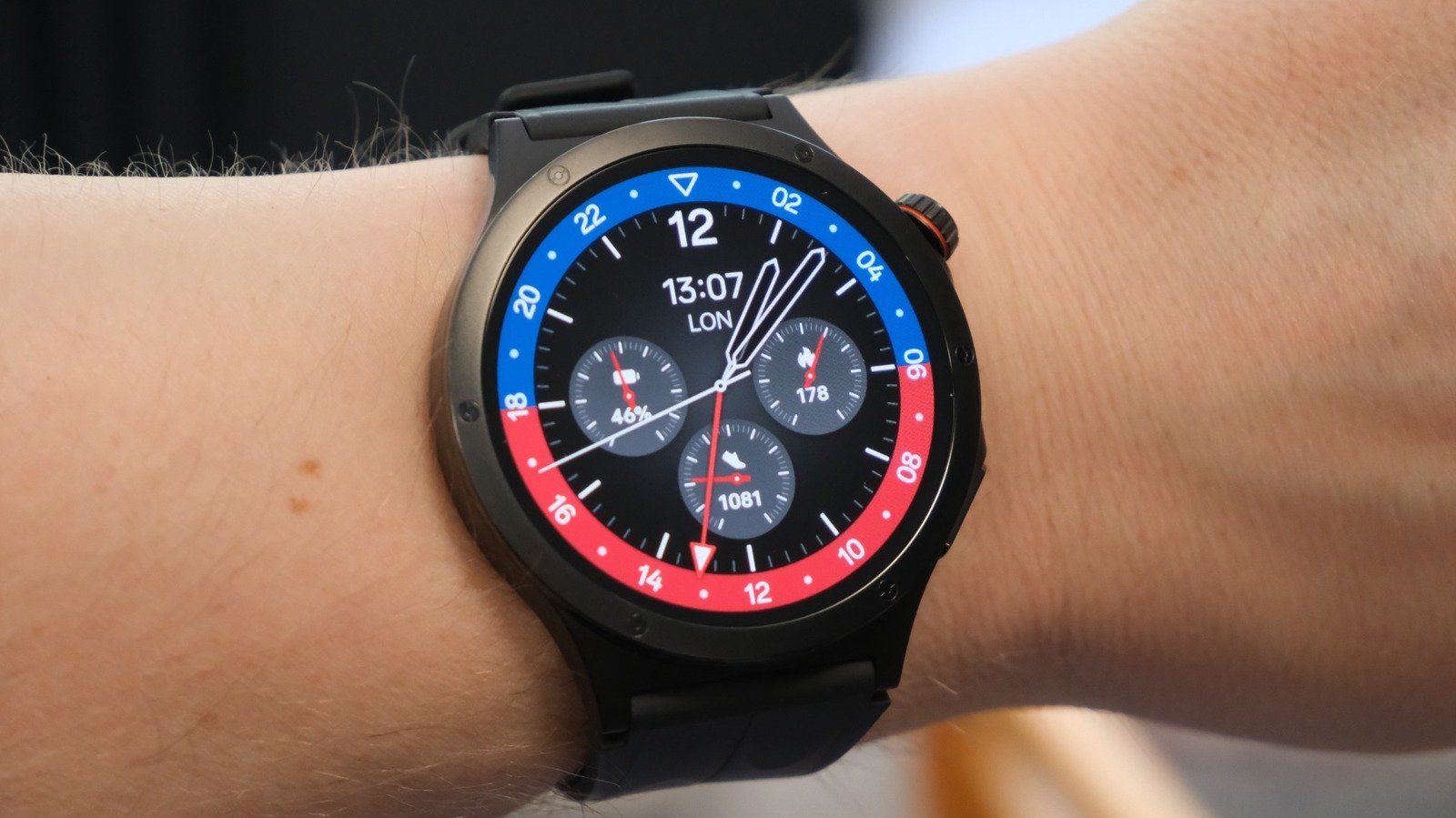
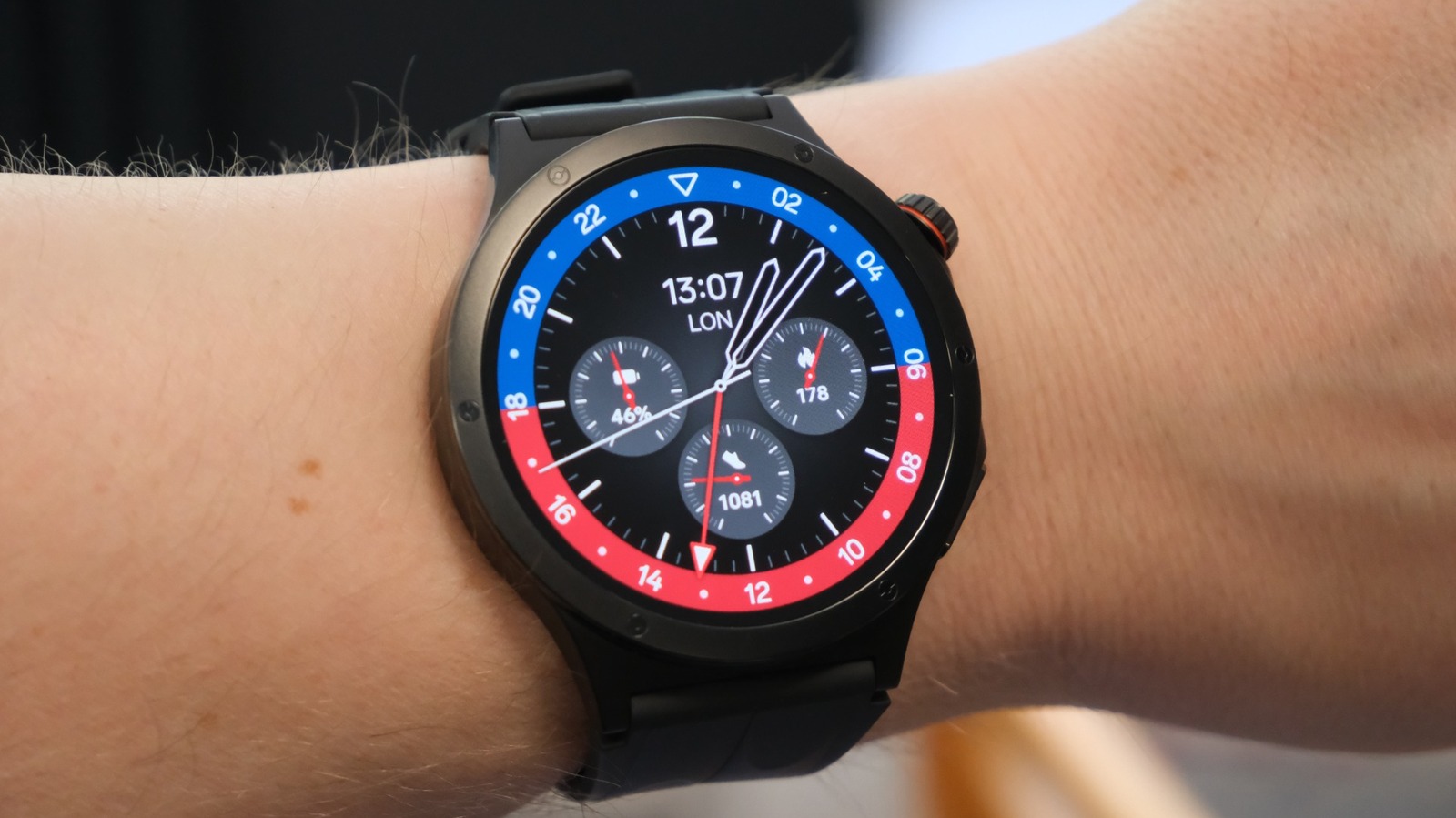
Oppo sold the X3 on the basis of its slim and light design, premium materials and durability. So, rather than babying the unit, I set to work getting as rough and tumble with it as I could, and I haven’t been disappointed. After two weeks of almost intentionally neglectful use, I haven’t found a single dent, scratch or chip on the case or crystal. In fact, I’m deeply impressed by how well it’s managed to take the sorts of activities most people would leave their watch at home for.
The X3 deserves even louder praise for its battery, which is so good it’ll make the Pixel, Galaxy and Apple Watches faint in intimidation. It’s equipped with a 646mAh battery with 10 percent silicon content, far in excess of what you find from its fancier rivals. With the always-on display set to run from 8am to 9pm, I can get about three days of fairly intensive use on a charge. With the screen only set to wake when I raised my wrist, that endurance leapt closer to five days.
I’m also a fan of the snappy performance, and I’m not sure I noticed any sort of lag or delay when switching between apps. And while I would still only ever use such a feature in dire circumstances normally, it was fun to respond to messages with my voice.
It’s not been all perfect: The first night I wore the watch, I forgot to activate sleep mode and so was rudely awoken by it vibrating at me at 5am to wish me a good morning. A few times, the watch face has suddenly changed to a different one without me intentionally doing something. And while it’s possible to make small tweaks to the watch faces, I wish they were far more customizable. For instance, the chronograph face known as Twin Time has three subdials, but you can’t assign what data points they show. The end result is that all of the faces are too cluttered or too sparse, neither of which is preferable.
Some of my gripes are more with Wear OS in general than Oppo in specific, like the shameless stat padding in the app menu. In my book, it would be cleaner to have one button to access all of the tools related to a specific function. Instead, you get a constellation of shortcuts that makes the watch’s functionality look impressive but it’s a usability nightmare. There are three icons for the stopwatch, alarm and timer that could just as easily be within the same pane to make getting around the main app menu far easier.
I found the X3’s Bluetooth pairing to be a little erratic, too, with it ignoring a few of my older pairs of wireless headphones. Once I found a pair that it did work with, however, it was plain sailing to get it paired and up and running.
Inevitably, I must talk about Gemini — long press the crown and you’ll be able to engage with Google’s AI. I did find the X3’s built-in speaker to be a little tinny, and you’ll hear clipping and fuzz if you turn the volume up enough to be able to hear what it’s saying. One upside is the built-in Wi-Fi, which meant I could still access Gemini (to set timers for making dinner) even though my phone was turned off and recharging at the far end of the house.
I suppose, too, I should make mention of another special feature the X3 offers, which is short video control. Specifically, if you’re watching TikTok and YouTube shorts (only), you can select an app that’ll put four-way controls on your watch face. This is, presumably, for those times when you don’t want to scroll TikTok one-handed, like a normal person, but two handed with your phone at some distance from you, but not so far enough as to warrant using some other control. But hey, I don’t need to understand why anyone made this feature, I just have to tell you that it works.