dailynewsnblog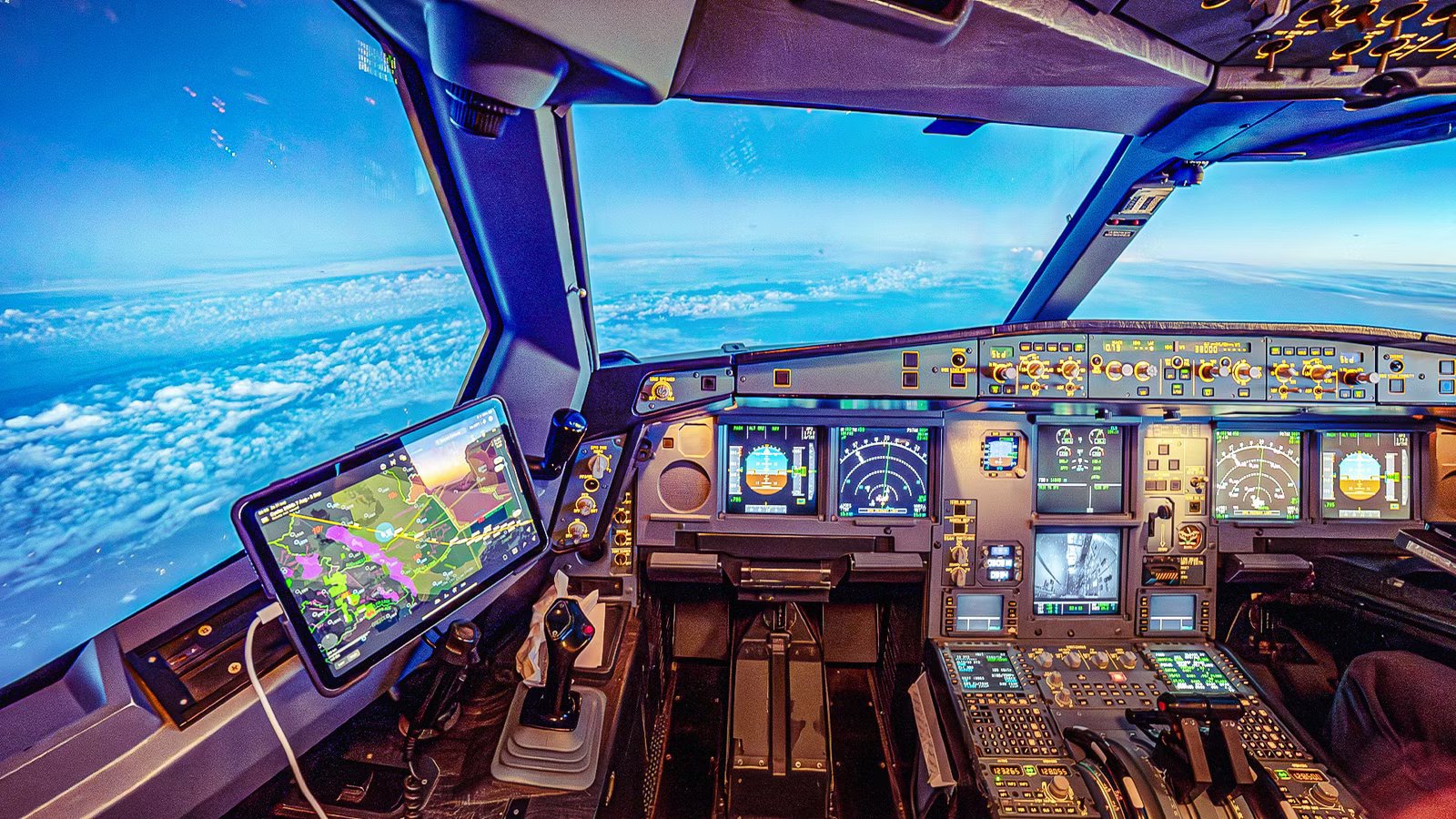
To many passengers, autopilot sounds like a switch that turns an airliner into a self-flying machine. The aircraft climbs away from the airport, the pilots press a button, and from that point on the computer takes care of the rest while the crew simply watches. It is a comforting idea, but it is also an incomplete one. On modern aircraft such as the Boeing 737 and Airbus A320, what passengers call autopilot is really an autoflight system.
It brings together the autopilot, flight directors, autothrottle or autothrust, and the Flight Management System. Pilots don’t stop flying the aircraft when they engage it. They simply change the way they fly it. Instead of physically moving the control column or sidestick, they manage modes, select targets, monitor displays, cross-check the aircraft’s energy, and stay ready to disconnect everything if the automation does something unexpected.
Autopilot Is Not One Magic Button

The first myth to break is that autopilot is a single system. In reality, it is part of a layered flight guidance architecture. The autopilot can move the controls, but it needs guidance. That guidance may come from the flight directors, from pilot-selected headings or altitudes, or from the programmed route in the Flight Management System.
On a  Boeing aircraft, much of that interaction takes place through the Mode Control Panel, mounted on the glare shield above the main flight displays. Pilots can select speed, heading, altitude, vertical speed, lateral navigation, vertical navigation, approach mode, and autopilot engagement. A crew flying in cruise may not be hand-flying, but they are still using the MCP to manage exactly what the aircraft is trying to do.
Airbus aircraft use a similar but philosophically different interface: the Flight Control Unit. Airbus pilots often describe the system in terms of ‘managed’ and ‘selected’ modes: push a knob, and the aircraft generally follows the managed profile from the flight management system. Pull it, and the pilot gives the aircraft a selected target, such as a specific heading, speed, or vertical speed. That push-pull logic is one of the major differences between Boeing and Airbus automation philosophies.
In both cases, the important point is the same. The crew might not be flying by hand, but they are also not simply turning automation on and leaving it alone. They are constantly telling the aircraft what the next objective is, then verifying that the system has understood and is flying the intended path.
The Controls Pilots Actually Touch

Even in a calm cruise, pilots may touch a surprising number of controls while in automated flight. A change in air traffic control clearance might require a new heading, a different flight level, or direct routing to a waypoint. Weather avoidance may require heading changes or route amendments. A descent clearance may require a new altitude to be selected and confirmed.
On a Boeing 737, pilots commonly interact with speed, heading, altitude, and vertical speed selectors on the MCP. They also use buttons such as LNAV, VNAV, HDG SEL, ALT HLD, and APP to tell the aircraft which lateral or vertical guidance mode to use. The autopilot itself is engaged through Command switches, while Control Wheel Steering provides another mode in which pilot control inputs can guide the aircraft.
What Pilots Physically Touch During Automated Flight | ||
|---|---|---|
Control Or Interface | Common Aircraft | What Pilots Use It For |
Mode Control Panel | Boeing | Select speed, heading, altitude, and vertical modes |
Flight Control Unit | Airbus | Manage or select speed, heading, altitude, and vertical path |
Autopilot CMD switch | Boeing | Engage full autopilot command mode |
CWS mode | Boeing | Allow control-wheel inputs to guide the aircraft |
LNAV / VNAV buttons | Boeing | Follow lateral and vertical FMS guidance |
APP button | Boeing/Airbus | Arm approach guidance |
CDU / MCDU | Boeing/Airbus | Modify route, performance, arrival, and approach data |
Autothrottle / autothrust controls | Boeing/Airbus | Manage thrust and speed modes |
On Airbus aircraft, the FCU performs a similar role, but with the added distinction between managed and selected guidance. The pilot may allow the aircraft to follow the programmed vertical and lateral profile, or intervene directly by selecting a heading, speed, altitude, or vertical speed. That means a small movement of a knob can change the aircraft’s flight path dramatically, depending on the current mode.
The FMS is another major touchpoint. Pilots may use the CDU on Boeing aircraft or the MCDU on Airbus aircraft to insert route changes, update arrivals, modify performance data, enter winds, or prepare for an approach. In other words, the aircraft may be physically flying itself, but the pilots are still actively programming, selecting, confirming, and correcting.
How Do Autopilot Systems Work?
The system is a staple in commercial aviation.
What Pilots Are Watching While Automation Flies

The most important line on the flight display may be the Flight Mode Annunciator. This tells pilots what the aircraft is actually doing, not what they think they asked it to do. A crew might select a mode, but the FMA confirms whether that mode is armed, active, captured, or replaced by something else. This is where mode awareness becomes central. Pilots are trained to know whether the aircraft is in LNAV, VNAV, heading select, altitude hold, approach mode, speed mode, thrust mode, or another state.
An automation problem occurs when the aircraft is doing exactly what its logic requires, but the pilots expected it to do something else. A classic example occurred during the crash of Asiana Airlines flight 214, the first fatal crash of a Boeing 777, in 2013. Investigators found that the automation on the Boeing 777-200ER was functioning as designed, but the crew misunderstood the autothrottle and flight guidance modes during a visual approach to  San Francisco International Airport (SFO).
Key Displays Pilots Monitor During Automated Flight | ||
|---|---|---|
Display Cue | What It Tells Pilots | Why It Matters |
Flight Mode Annunciator | Active and armed autoflight modes | Confirms what the aircraft is actually doing |
Speed tape | Current airspeed | Shows whether speed is stable or drifting |
Speed trend vector | Predicted near-term speed trend | Warns of acceleration or deceleration |
Altitude tape | Current and selected altitude | Helps prevent altitude deviations |
Vertical speed indicator | Climb or descent rate | Shows whether the aircraft is meeting the intended path |
Navigation display | Route, track, and waypoint information | Confirms lateral path and weather deviations |
Flap speed bugs | Maneuvering speeds for flap settings | Helps manage takeoff and approach configuration |
Flight directors | Command bars for pitch and roll | Show what the automation is asking the aircraft to do |
Believing the automation would maintain airspeed, the pilots failed to recognize that the aircraft was slowing dangerously. The result was an impact short of the runway, demonstrating one of aviation’s most enduring automation lessons: pilots must always know not only what mode they selected, but what mode the aircraft is actually flying. Speed is another constant focus. On modern primary flight displays, pilots monitor cues such as the speed tape, selected speed, speed trend vector, and flap maneuvering speed markers.
The speed trend vector is particularly useful because it shows where the aircraft’s speed is heading in the next few seconds, helping pilots detect early whether the aircraft is accelerating, decelerating, or becoming unstable. That is why automated flight is also energy management. An aircraft can be on autopilot and still be too high, too fast, too slow, or poorly configured. Automation can help manage those challenges, but it cannot replace pilot judgment.
Why Pilots Usually Wait To Engage The Autopilot

One of the biggest misconceptions about airline flying is that pilots switch on the autopilot immediately after takeoff. In reality, three different benchmarks determine when automation can be used: the aircraft’s certification limit, the manufacturer’s guidance, and the airline’s own standard operating procedures. Those numbers are often very different. Under FAA rules, autopilot use during takeoff and initial climb is generally prohibited below 500 feet above ground level.
However, the regulation contains an important exception allowing lower engagement altitudes when they are specifically approved in the aircraft’s Airplane Flight Manual. That is where there are some differences between Boeing and Airbus. On a Boeing 737, the autopilot is certified for engagement from 400 feet after takeoff. Airbus takes a more automation-centric approach, allowing autopilot engagement on the A320 family from as low as 100 feet, provided the aircraft has been airborne for at least five seconds.
Modern widebodies generally follow the same philosophy as their narrowbody counterparts, with Boeing operators typically using 200–400 feet as the earliest engagement point and Airbus aircraft such as the Airbus A350 and Airbus A380 certified for engagement from 100 feet.
Earliest Certified Engagement Altitude | |
|---|---|
Aircraft Family | Altitude |
Airbus A220 | 100 feet |
Airbus A320 Family | 100 feet |
Airbus A350 | 100 feet |
Airbus A380 | 100 feet |
Boeing 737 NG/MAX | 400 feet |
Boeing 777 | 200–400 feet (operator dependent) |
Boeing 787 | 200–400 feet (operator dependent) |
However, certification limits are only part of the story. Airlines establish their own procedures, and rather than engaging the autopilot at the earliest opportunity, most pilots typically wait until the aircraft is accelerating, flaps are being retracted, and the aircraft is transitioning toward a clean configuration.
At that point, automation generally reduces workload rather than adding another layer of complexity during one of the busiest phases of flight. The importance of engaging automation at the correct time was highlighted by a series of incidents involving the Airbus A220. In 2022, as reported by Flight Global, the FAA issued an emergency airworthiness directive after two events it described as “nearly catastrophic.”
Catch what other flight trackers miss
Emergency squawks, holds, NOTAMs — live signals, no signup.
Open tracker
Catch what other flight trackers miss
Emergency squawks, holds, NOTAMs — live signals, no signup.
Open tracker
In both cases, crews inadvertently engaged the autopilot during the takeoff roll while attempting to activate the autothrottle. Airbus warned that the resulting pitch-up commands could lead to premature rotation, tail strikes, runway overruns, inability to climb, or even loss of control. The incidents did not occur because pilots engaged the autopilot too early after takeoff, but they demonstrated how automation selected at the wrong moment can quickly create a dangerous situation.
What Pilots Actually Do During A 14-Hour Flight When The Autopilot Is Handling Everything
Modern airliners are incredibly automated, but pilots remain fully responsible for every decision during a flight. What do they actually do?
When Pilots Get Automation Wrong

Despite the tremendous benefits of automation, there have been numerous incidents where it has been at the heart of the issue. However, automation-related incidents are rarely about the autopilot ‘going rogue,’ with the notable exception of the 737 MAX MCAS issues. More often, the aircraft does what the system logic requires, while the crew either misunderstands the mode, misses a change, or fails to monitor the aircraft’s energy.
A recent example involved a Ryanair Boeing 737 at  London Stansted Airport (STN) in March 2024. Following a manually flown go-around, the commander did not realize that the autopilot and autothrust were not engaged. The aircraft inadvertently descended 550 feet, experiencing a ‘level bust,’ before the crew noticed and corrected the deviation. The lesson is directly relevant: pilots must know not only what they intended to engage, but what is actually engaged.
Automation Incidents & Outcomes | ||||
|---|---|---|---|---|
Incident | Year | Aircraft | Automation Issue | Outcome |
Ryanair Stansted level bust | 2024 | Boeing 737-8200 | The crew did not realize autopilot and autothrust were not engaged following a go-around. | Aircraft descended approximately 550 feet before recovery; serious incident investigation by the UK AAIB, no injuries. |
Asiana Airlines Flight 214 | 2013 | Boeing 777-200ER | Misunderstood automation and autothrottle behavior during visual approach. | Aircraft crashed short of the runway at San Francisco; 3 fatalities and more than 180 injuries. |
Turkish Airlines Flight 1951 | 2009 | Boeing 737-800 | A faulty radio altimeter caused the autothrottle to reduce thrust, with inadequate crew monitoring. | Aircraft crashed on approach to Amsterdam Schiphol; 9 fatalities and 120 injuries. |
Air France Flight 447 | 2009 | Airbus A330-200 | Autopilot disconnected after unreliable airspeed indications from iced pitot tubes. | Aircraft crashed into the Atlantic Ocean; all 228 passengers and crew were killed. |
Colgan Air Flight 3407 | 2009 | Dash 8 Q400 | Crew responded incorrectly after stall warnings and automation-related cues during approach. | Aircraft crashed near Buffalo, New York; all 49 on board and 1 person on the ground were killed. |
Older incidents remain important because they shaped many of the automation-management practices used by airlines today. Turkish Airlines flight 1951 near  Amsterdam Schiphol Airport (AMS) in 2009 demonstrated how crews can become vulnerable when faulty sensor data causes the automation to behave in unexpected ways and airspeed trends go unnoticed.
Air France flight 447, later that same year, highlighted the opposite challenge: what happens when the automation suddenly disconnects, and pilots must manually fly the aircraft in demanding conditions. Meanwhile, the crash of Colgan Air flight 3407 near Buffalo showed how pilots can misinterpret aircraft cues and respond incorrectly when transitioning from automated to manual flight.
Together, these accidents reinforced a common lesson that remains central to modern airline training. Pilots must continuously understand what the automation is doing, what the aircraft is doing, and treat automation as something that must be actively managed rather than passively trusted.
Pilots Do Not Stop Flying: They Fly The Automation

The modern airline pilot has not been replaced by automation: rather, their role has changed. During the cruise, the crew may not be physically moving the controls, but they are still flying the aircraft through selections, checks, callouts, and decisions. The cockpit during automated flight is a loop: touch, say, verify, monitor. A pilot selects an altitude, calls it out, checks the display, confirms the correct mode, watches the aircraft respond, and then prepares for the next instruction.
The most dangerous assumption would be that nothing is happening simply because the control column or sidestick is still. That is the real answer to what pilots touch when the autopilot is flying. They touch the MCP or FCU, the FMS, the radios, the speed and altitude selectors, the approach controls, and sometimes the autopilot disconnects itself. More importantly, they touch the system mentally every few seconds by asking: What mode is active? What is the aircraft doing? Is that what we want?
As such, while passengers may imagine autopilot cruise as a hands-off coffee break, the cockpit reality is much more active. The autopilot may be moving the aircraft, but the pilots are still very much managing the flight.