dailynewsnblog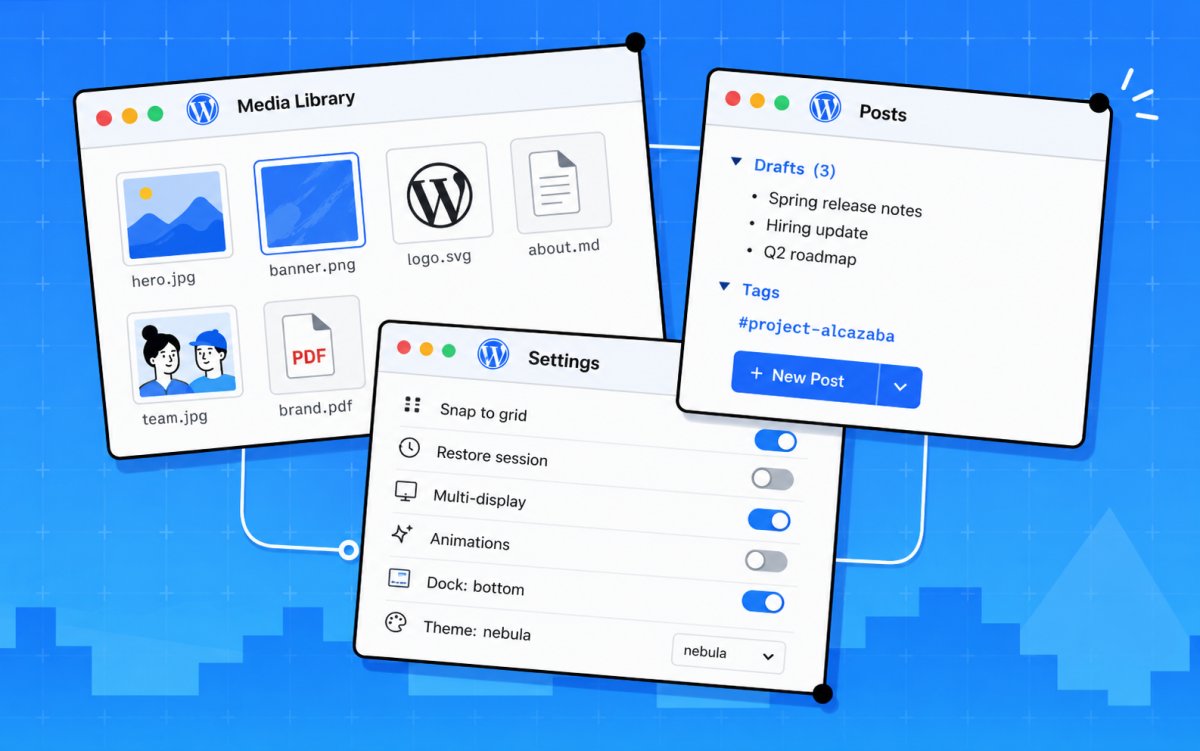
WordPress already holds your content, media, users, plugins, and more.
But managing all of those moving pieces often means jumping between admin screens, browser tabs, and disconnected workflows.
Desktop Mode, a free and open source plugin built by Automattic, gives WordPress admin a desktop-style workspace.
Windows open, resize, and stack. A dock sits on the left. Virtual desktops let you switch between workflows. It runs on top of WordPress exactly as it is: your site, your plugins, your setup, all untouched.
A better way to move through WordPress
Posts, pages, and media open as individual windows, so you can have a draft open next to your media library and drag files directly between them—no tab switching. No losing your place.
Send content to a shared folder so your team can review and approve it before it goes live. Restore anything from a unified Recycle Bin covering posts, pages, media, and comments, all from one place. Your window layout saves between sessions, so you pick up exactly where you left off.
A unified command palette (Cmd+K) gives you fast access to everything. The optional AI copilot lets you search across your content, find posts by topic, surface related pages, and get quick answers about what’s on your site. Multiple desktops, called Spaces, let you keep separate projects or workflows organized without cluttering your view.
Built to be extended
Desktop Mode comes with hundreds of hooks built in. Every significant behavior is extendable, meaning plugin authors can register native windows, dock items, desktop icons, commands, and AI tools from their own plugin with no patches to Desktop Mode required. You can even register your own AI provider, wiring Desktop Mode’s copilot to any model or service you choose.
Here’s what that looks like in practice: a booking plugin could open its calendar as a native window directly inside Desktop Mode instead of sending you to a separate admin page. A WooCommerce extension could surface your orders dashboard right in the dock. Nick, a long-time WordPress developer, built a native plugin on top of Desktop Mode to test this extensibility from day one, and it works.
Desktop Mode runs entirely in the admin layer, so your site’s frontend, your store, and your checkout are completely unaffected.
The same architecture that lets thousands of WordPress plugins coexist applies here. It’s open source, the code is on GitHub, and contributions are open.
What this opens up
WordPress has always been more than a publishing tool. It’s a platform built to be shaped, not just used. Desktop Mode is a bet on that idea.
What if the place where you manage your site also felt like a real workspace? Where your team can review content before it goes live, your tools open where you need them, and you stop losing time navigating between screens? That’s what we’re building toward.
Already running on hundreds of sites in its first week, it’s actively maintained by Automattic and the community is building on it. This is the foundation and we can’t wait to see where it goes.
Try WordPress desktop mode: It’s free
Desktop Mode is free for all WordPress users and available today.
Installation
- Download the plugin here or install via Plugins → Add New → Upload Plugin.
- Upload the plugin folder to /wp-content/plugins/
- Activate the plugin through the Plugins screen in WordPress.
- Click the desktop icon in the admin bar’s top-right corner. The admin reloads inside the desktop shell.
- Click the same icon again at any time to return to the classic admin.
It’s a per-user opt-in, so activating it doesn’t affect anyone else on your team until they choose to turn it on themselves.