dailynewsnblog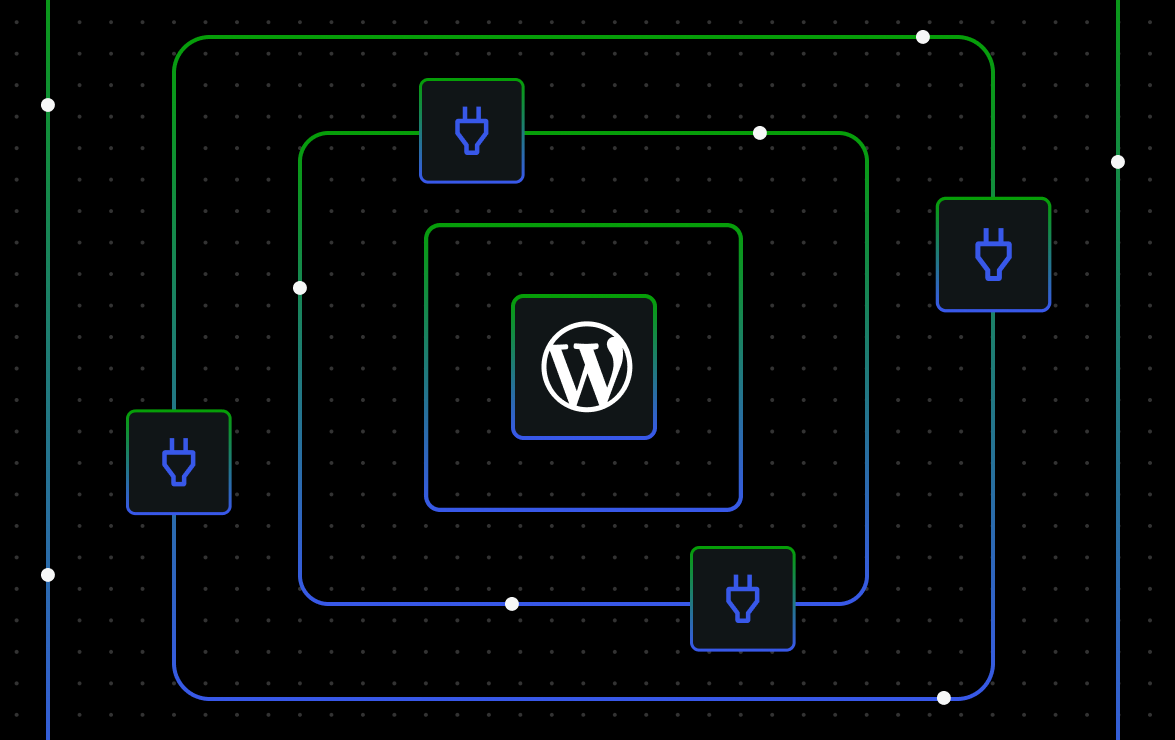
Running a WordPress site should not mean carrying the full weight of security operations yourself. On WordPress.com, security is handled at the platform level through continuous scanning, managed infrastructure, virtual patches, backups, and human-led response.
The Essential Plugin supply chain attack is one example of what that looks like in practice. When malicious code was found across a portfolio of plugins, WordPress.com security teams identified affected hosted sites, updated detection systems, deployed a DNS-level block against the attacker-controlled domain, and removed malicious code from impacted environments.
This post explains what happened, how WordPress.com responded, and why proactive, managed security matters for those who need WordPress flexibility without having to manage every security risk alone.
How the Essential Plugin attack unfolded
In early 2026, the WordPress community experienced a large supply chain attack on plugins by the “Essential Plugin” developer.
A buyer had quietly acquired the entire Essential Plugin portfolio (formerly WP Online Support) — a collection of 30+ plugins built up over eight years of legitimate development. Roughly six months after the acquisition, malicious code — wpos-analytics — was added to the plugins’ source.
For months, the malicious code sat dormant. Then, in early April 2026, the backdoor was activated. The compromised plugins began phoning home to analytics.essentialplugin.com, where the attacker could ship arbitrary payloads to every site running an affected version.
On April 7, 2026, WordPress.org patched and permanently closed all 31 plugins in the portfolio. The patch stopped active exploitation by preventing the backdoor from executing, but WordPress.com’s security team chose to go further on the sites we host by removing the attacker’s code from affected plugin files.
Why the Essential Plugin backdoor was different
What made this incident different was that the compromised code arrived through plugins that had previously been trusted. Site owners had not ignored updates or installed obviously suspicious software; the issue came through a familiar plugin supply chain.
A patch can stop malicious code from executing, but cleanup can go further. In this case, WordPress.com removed the attacker’s code from affected sites we host, rather than relying only on a disarm.
That distinction matters because WordPress.com’s security model is not limited to waiting for site owners to notice a problem or manually apply a fix. Our teams can detect, mitigate, and clean up issues across hosted sites at the platform level.
How WordPress.com contained the threat
Waiting for sites to be flagged through normal scanning would mean some sites could be carrying dormant attacker code for months or longer. This is why WordPress.com took a proactive approach to protect sites and mitigate this attack.
Within hours of the disclosure, WordPress.com security specialists obtained a full list of every WordPress.com hosted site running one or more of the affected plugin slugs — over 2,200 sites. We then:
- Updated our malware detection system to flag the malicious
wpos-analytics module, the injected code block in each plugin’s main file, and flag suspicious activity unique to the malware. - Deployed a DNS-level block across WP Cloud for
analytics.essentialplugin.com, preventing affected sites from reaching the attacker-controlled domain entirely. - Surgically cleaned up all affected sites by completely removing the
wpos-analyticsdirectory and removing specific malicious code from the plugin files. - Coordinated with WPScan to publish vulnerability records so site owners across the wider WordPress ecosystem — not just on WordPress.com — could be alerted by their security tooling.
The result: WordPress.com removed the attacker’s code from affected hosted sites and blocked the attacker-controlled domain at the platform level.
How WordPress.com approaches security
WordPress.com’s security model is built on proactive protection. That includes automated scanning, infrastructure hardening, proactive mitigation, and human-led incident response working continuously behind the scenes.
Continuous monitoring and threat detection
Every WordPress.com site is scanned daily by Jetpack Scan against a constantly updated library of malware and vulnerability signatures. Suspicious behavior and compromised files are surfaced quickly so security specialists can investigate and respond before issues spread further.
When new threats emerge, detection systems can be updated rapidly across the platform, helping identify affected sites at scale.
Platform-level protection and mitigation
WordPress.com runs on a managed infrastructure designed to reduce common attack paths before they reach customer sites. Servers are patched and isolated, login abuse is rate-limited, and suspicious bot traffic is filtered automatically.
Core, plugin, and theme updates can also be applied automatically where appropriate. A managed Web Application Firewall helps block known exploit patterns at the edge before they ever reach your site.
WordPress.com also uses virtual patches: platform-level mitigations that can block known critical vulnerabilities even when an affected plugin has not yet been updated, or no developer fix is available.
During the Essential Plugin incident, WordPress.com also deployed a DNS-level block across WP Cloud for the attacker-controlled domain tied to the attack infrastructure.
Human-led security response
Automation matters, but large-scale incidents still require human investigation and judgment.
WordPress.com security specialists handle malware analysis, vulnerability research, incident response, and site cleanup across the platform. When widespread threats emerge, the team coordinates detection updates, investigates affected environments, and works with plugin and theme authors on responsible disclosure.
In the Essential Plugin incident, WordPress.com identified affected hosted sites en masse and removed malicious code directly from impacted environments rather than relying solely on patches that disabled execution.
Recovery and resilience
Security also means being able to recover quickly when something goes wrong.
Automated off-site backups through Jetpack VaultPress Backup allow affected sites to be restored to a known-good state, often within minutes.
Here’s a closer look at the protections and the steps you can take to keep your site safe and secure on WordPress.com.
Build on WordPress.com with confidence
The flexibility of WordPress is one of its greatest strengths. Plugins, themes, and integrations give site owners the freedom to build what they need, but that freedom works best when it is supported by a strong security infrastructure behind the scenes.
That is where WordPress.com’s managed approach matters. Platform-level monitoring, virtual patches, malware scanning, backups, and human security specialists help reduce the operational burden on site owners without taking away the flexibility that makes WordPress powerful.
Security work is often invisible when it is working well. You may never see the scans, mitigations, cleanup, and response happening in the background, but they are part of what helps keep your site running securely so you can focus on building, publishing, selling, and growing on WordPress.com.