dailynewsnblog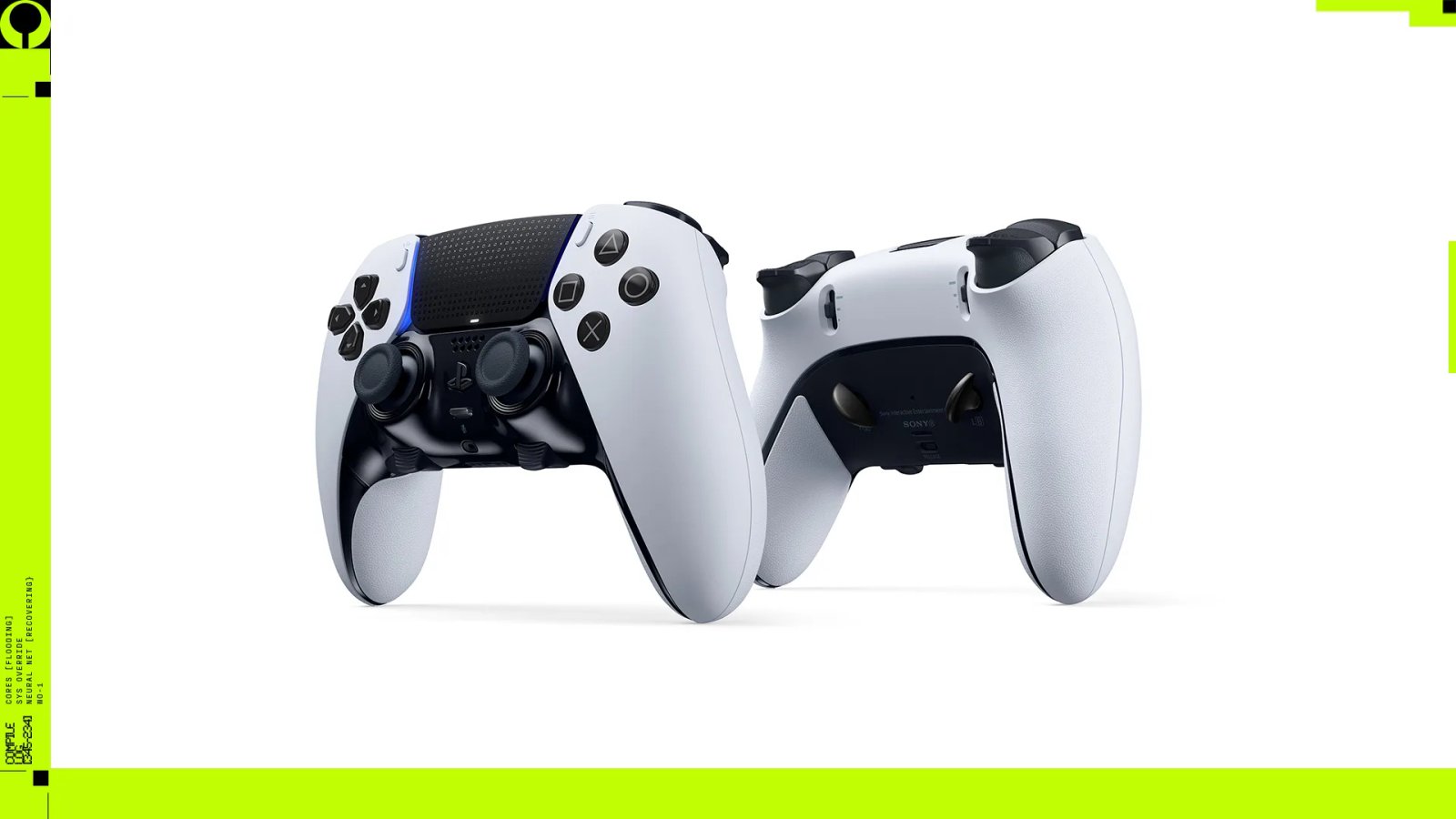
In Marathon, sharp aim matters, but so does healing, utility, movement, communication, and how you use your shell abilities. The DualSense Edge wireless controller gives you the flexibility to tailor the controls around your preferred playstyle, and save multiple custom profiles for your favourite shells and loadouts.
Marathon’s default settings already gives you a strong baseline alongside extra flexibility with options for presses, taps, holds and double presses. For most players, the best overall approach is to keep the default settings, then use the DualSense Edge controller to bring your highest value actions closer at hand.
Read on for setting recommendations straight from the Marathon dev team at Bungie.

Button remapping
In many shooters, the first instinct is to map jump and reload to the back buttons so you can keep your thumbs on the sticks during combat. That works great in Marathon too, but the back buttons are even better used elsewhere.
Mapping them to the consumable radial and equipment radial gives you quick access to two of the most important survival tools in the game. Since those actions normally require you to hold Directional Button Down and Left, moving them to the back buttons means you can heal and prepare utility, without interrupting your aim and movement.

Finger on the trigger
DualSense Edge controller gives you both physical trigger stop sliders and the option to fine tune trigger input ranges within custom profiles.
In Marathon, most weapons fire before the trigger reaches full travel, so setting the medium trigger stop on R2 can make repeated shots feel faster and more controlled, especially with semi automatic weapons. If you prefer an even more responsive feel, try the short trigger stop.
In your custom profile, adjust the trigger input range on L2 from 0 to 70. This can make aiming down sights feel more immediate, since less trigger travel is needed before the input kicks in, while still maintaining the comfort of a full trigger pull.
Steady your aim
Marathon already offers a strong set of in-game aim curves and sensitivity settings, with Classic serving as the standard curve used for decades in Bungie action games. It’s a great baseline, and players who prefer to tune everything in game have a lot to work with.
If you are shaping your setup through the DualSense Edge controller, keep Marathon’s defaults and make your refinements at the controller level instead. With custom stick sensitivity, sensitivity curve, and deadzone settings available in each profile, you’ve got plenty of room to tailor the feel to your preference.

Stick sensitivity curves
The DualSense Edge controller offers six different stick sensitivity curves, with one of the most effective combinations for Marathon being Precise on the right stick and Quick on the left stick.
Precise helps the right stick feel more controlled during smaller movements, like making fine aiming adjustments with precision weapons such as the Longshot sniper rifle. Quick gives the left stick a more immediate response, which helps with fast repositioning and evasive movement when a fight breaks out.
The result is a setup that feels nimble when you need to move, but calm and deliberate when you need to aim.

Stick sensitivity
There is no single perfect sensitivity setting for everyone. Start with Marathon’s default feel, then use the DualSense Edge controller to make small adjustments that suit the way you play. If you favour close quarters fights and want rapid turns, try nudging your sensitivity up. If your aim starts to feel twitchy, dial it back until it feels controlled again.
Stick deadzones
If your controller feels stable and you want a faster, more immediate response, lower the stick deadzones carefully within your DualSense Edge controller custom profile. If you prefer a little more buffer before movement or aim kicks in, keep them closer to the default feel.
The key is not to overcomplicate things too early. Small, targeted changes will give you better results than trying to change everything at once.
Try one profile for each Runner Shell
You can store up to three custom profile shortcuts on the DualSense Edge controller and quickly swap between them during gameplay using the Function (Fn) buttons, making it easy to keep one core setup alongside shell-specific variants. Try out these quick tips for each shell and let us know your favourite DualSense Edge controller layouts.
Destroyer
Map a back button to jump, giving you faster Thruster activations while staying locked on target, and another to sprint for speedy activations of Tactical Sprint.
Assassin
Map a back button to crouch so stealth movement feels more natural while aiming. A Steady sensitivity curve on the left stick works well for controlled movement during stealth.
Recon
Set up push to talk on one back button, with quick ping on the other back button to help your teammates stay on top of the active situation. A Precise sensitivity curve on the right stick works great for picking off fleeing enemies with a long-range weapon.
Vandal
Mapping crouch to a back button lets you power slide while maintaining aim control. A snappier sensitivity on the right stick suits Vandal’s momentum and fast, aggressive movement.
Thief
Map a back button to grapple to quickly push an advantage or make an escape. A Steady left stick sensitivity curve works well if you want more controlled, stealthy movement while sneaking.
Triage
Map the consumables wheel to one back button, with quick ping on the other and you have a profile built around rounded backline support with fast callouts.
Rook
Back buttons mapped to consumables and equipment radials, with a Steady left stick sensitivity curve for careful movement and stealth, keep this profile simple and survival focused.
Now clean up on Tau Ceti IV
On Tau Ceti IV, staying mobile and keeping your most important actions within easy reach on the DualSense Edge wireless controller can make the difference between a messy escape and a clean exfil.
Marathon is available now.